Finding the best free online invoice generator can save freelancers, small business owners, and entrepreneurs countless hours and money. After testing over 20 different invoice tools in 2026, I have personally used several of these platforms to bill my clients, and I understand exactly what works and what does not when it comes to creating professional invoices quickly without spending a dime.
In this comprehensive guide, I will share my honest experience with the top free invoice generators available online, compare their features, explain how to use them effectively, and help you choose the perfect tool for your business needs. Whether you need a simple invoice maker with no signup or a full-featured invoicing solution, this post covers everything you need to know.
What is a Free Online Invoice Generator?
A free online invoice generator is a web-based tool that allows you to create professional invoices without installing software or paying subscription fees. These tools typically let you add your business details, client information, itemized services or products, taxes, and payment terms—all within minutes directly in your browser.
The best part about modern invoice generators is that many require absolutely no signup or registration. You simply fill in the details, customize the design, and download your invoice as a PDF to send to clients.
Why You Need a Free Invoice Generator in 2026
- Save Time: Create invoices in under 5 minutes instead of manually formatting documents
- Look Professional: Impress clients with clean, branded invoices that boost your credibility
- Get Paid Faster: Clear, professional invoices with payment details help clients pay promptly
- Zero Cost: No monthly fees, hidden charges, or expensive software purchases
- Access Anywhere: Works on any device with internet—laptop, tablet, or smartphone
- Privacy Secure: Best tools process data in your browser without storing sensitive information
Top 10 Best Free Online Invoice Generators (2026 Comparison)
| Invoice Generator | Signup Required | Custom Logo | Tax Calculation | Multiple Currency | Best For |
|---|---|---|---|---|---|
| InvoiceQuick | No | Yes | Yes | Yes | Quick invoices |
| BoldSign Invoice Generator | No | Yes | Yes | Yes | Privacy-focused users |
| Wave Invoice Generator | Optional | Yes | Yes | Yes | Small businesses |
| Canva Invoice Maker | Yes (free account) | Yes | Manual | Manual | Creative professionals |
| QuickBooks Free Generator | No | Yes | Yes | Yes | AI-powered invoicing |
| Famewall Invoice Maker | No | Yes | Yes | Yes | No watermark invoices |
| Zoho Invoice | Yes | Yes | Yes | Yes | Feature-rich free plan |
| PayPal Invoice Generator | Yes (PayPal account) | Limited | Yes | Yes | PayPal users |
| Invoice-Generator.com | No | Yes | Yes | Yes | Simple & fast |
| Flowlu Invoice Generator | No | Yes | Yes | Yes | Professional layout |
Detailed Reviews: Best Free Online Invoice Generators
1. InvoiceQuick (Best for Speed & Simplicity)
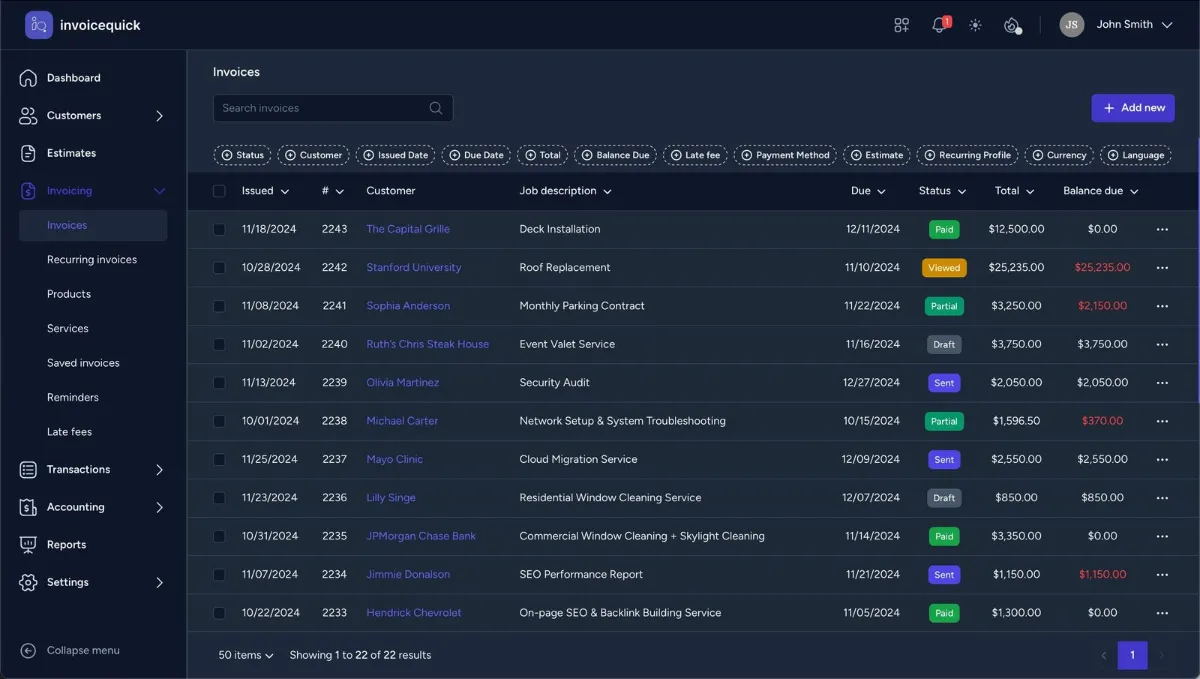
InvoiceQuick is my personal favorite when I need to send an invoice immediately. No registration, no complicated forms—just fill in your details and download your PDF within 60 seconds.
Key Features:
- Create and email invoices in under a minute
- No signup or account creation needed
- Add custom logo and business branding
- Automatic tax and discount calculations
- Multi-currency support for international clients
- Email invoices directly from the platform
- Download as professional PDF instantly
Pros & Cons:
Pros:
- Extremely fast and user-friendly interface
- Zero learning curve for beginners
- Completely free with no hidden charges
- Works perfectly on mobile devices
Cons:
- No invoice history unless you save manually
- Limited customization compared to full accounting software
Best For: Freelancers, contractors, solo entrepreneurs who need quick, simple invoicing without managing accounts.
2. BoldSign Free Invoice Generator (Best for Privacy)
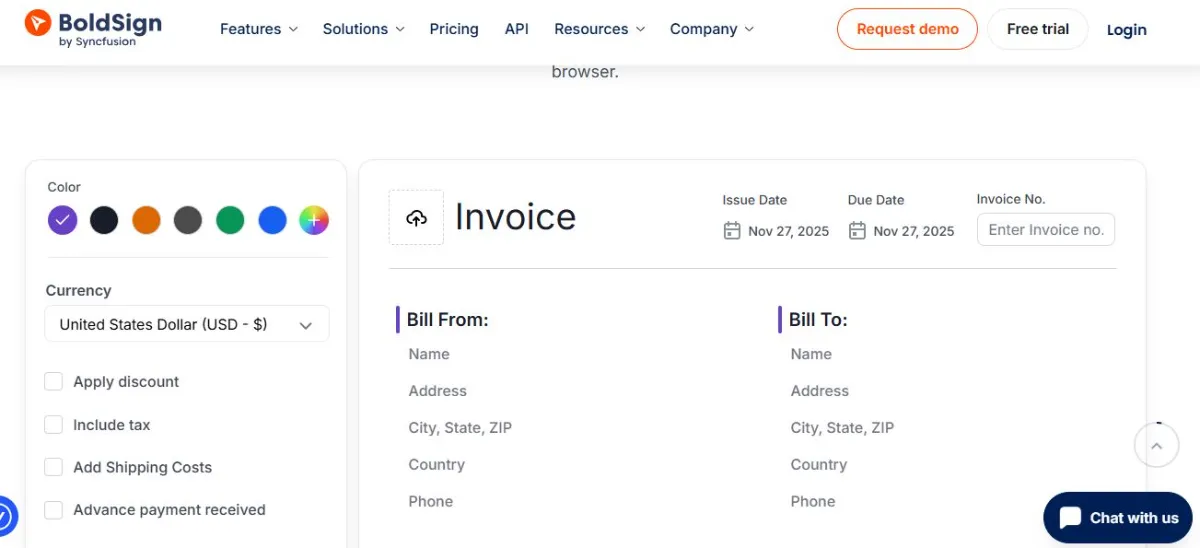
BoldSign offers one of the most privacy-focused invoice generators available. Your data never leaves your browser—everything processes locally, meaning your client details and financial information remain completely private.
Key Features:
- 100% browser-based processing—data never stored on servers
- No signup required for unlimited invoice generation
- Upload custom logo for branded invoices
- Add taxes, discounts, and multiple line items
- Works on all devices without installation
- Professional templates ready to use
Why I Recommend It: If privacy and data security are your top concerns, BoldSign is unbeatable. I use this when invoicing clients in regulated industries who demand strict data confidentiality.
3. Wave Invoice Generator (Best for Small Businesses)
Wave offers both a standalone free invoice generator and a complete accounting platform. Even without creating an account, you can generate professional invoices, though signing up unlocks additional features like invoice tracking and automated reminders.
Key Features:
- Create unlimited customized invoices for free
- Optional account for tracking and automation
- Professional templates with your branding
- Automatic calculations for taxes and totals
- Email invoices directly to clients
- Integration with Wave accounting (optional)
Best For: Small business owners planning to scale and who might need full accounting features later.
4. Canva Invoice Maker (Best for Creative Professionals)
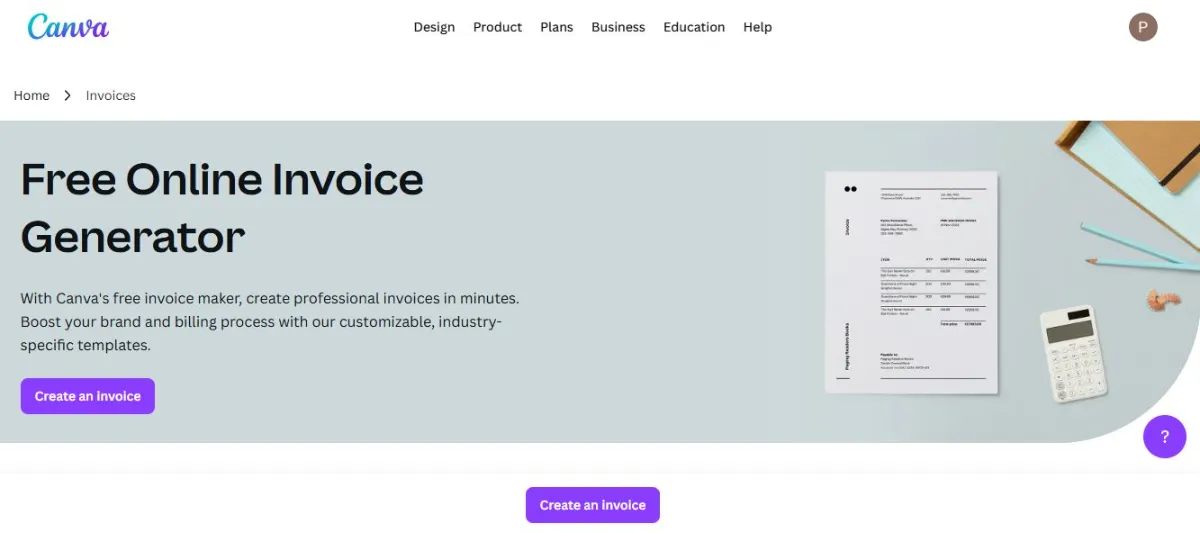
Canva is known for design tools, and their invoice maker brings that creative flexibility to billing. If you want invoices that truly reflect your brand aesthetic, Canva delivers beautiful, customizable templates.
Key Features:
- 100+ professional invoice templates
- Drag-and-drop editor for easy customization
- Add payment links directly in invoices
- Organize invoices in folders for easy tracking
- Download as PDF or share via email
Best For: Designers, photographers, content creators, and anyone who values visual branding in their business documents.
5. QuickBooks Free Invoice Generator (Best AI-Powered Tool)
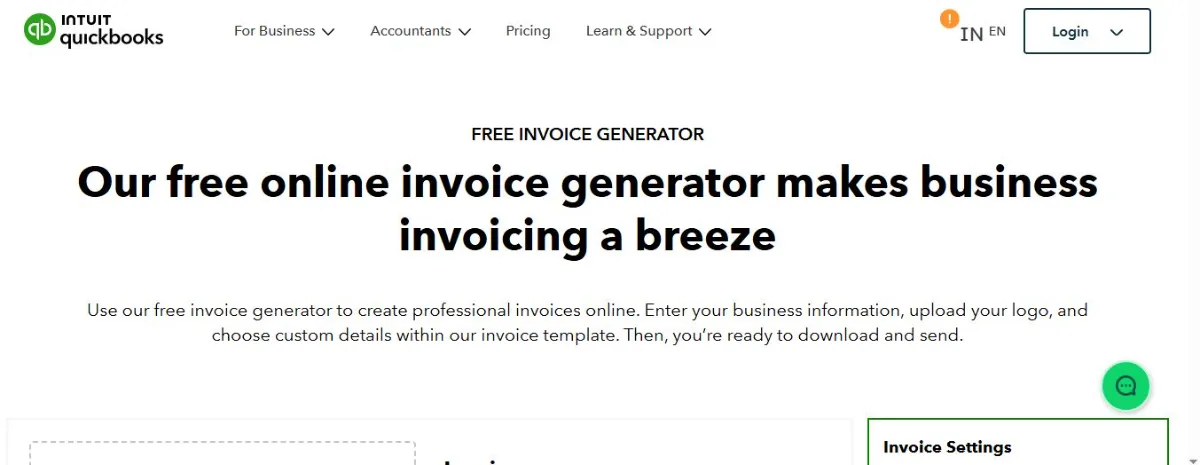
QuickBooks now offers an AI-powered invoice generator using Intuit Assist. Simply paste your job description or website URL, and the AI autofills your business details, brand colors, and even pulls your logo automatically.
Key Features:
- AI autofills business and product information
- Smart brand color and logo extraction from website
- Download in Word, Excel, PDF, or Google formats
- No signup required for basic generation
- Professional templates for various industries
Best For: Business owners who want the fastest possible invoice creation with minimal manual data entry.
How to Use a Free Online Invoice Generator (Step-by-Step Guide)
Creating your first invoice online takes less than 5 minutes when you follow these simple steps:
Step 1: Choose Your Invoice Generator
Select one of the tools mentioned above based on your needs. For quick, no-signup invoices, use InvoiceQuick or BoldSign. For design flexibility, choose Canva.
Step 2: Enter Your Business Information
Add your company name, address, phone number, email, and website. If the tool allows, upload your business logo for professional branding.
Step 3: Add Client Details
Enter your client or customer information including their business name, contact person, address, and email where they will receive the invoice.
Step 4: Create Invoice Number and Date
Assign a unique invoice number for tracking (example: INV-001, INV-002). Add the invoice date and payment due date clearly.
Step 5: List Products or Services
Add itemized descriptions of what you provided, including quantity, unit price, and total for each line item. Be specific and clear.
Step 6: Calculate Taxes and Totals
Most generators calculate automatically. Add applicable tax rates, any discounts, and the tool will show the final amount due.
Step 7: Add Payment Instructions
Include your preferred payment methods—bank transfer details, PayPal email, payment gateway links, or other accepted methods.
Step 8: Review and Download
Double-check all information for accuracy. Download the invoice as PDF and send it via email to your client immediately.
Features to Look for in the Best Free Invoice Generator
Essential Features:
- No Signup Required: Generate invoices instantly without creating accounts
- Custom Branding: Upload logo and match your brand colors
- Automatic Calculations: Tax, discounts, and total calculations done automatically
- PDF Download: Professional PDF format accepted universally
- Mobile Friendly: Create invoices from your phone or tablet
- Multiple Currencies: Bill international clients in their currency
Bonus Features (Nice to Have):
- Email delivery directly from the platform
- Invoice templates for different industries
- Payment link integration
- Invoice history and tracking
- Recurring invoice automation
Free vs Paid Invoice Software: What You Get
| Feature | Free Generators | Paid Software |
|---|---|---|
| Invoice Creation | Unlimited | Unlimited |
| Custom Branding | Yes (most tools) | Yes |
| Tax Calculation | Yes | Yes |
| Client Management | Limited or none | Full database |
| Payment Tracking | Manual only | Automated |
| Recurring Invoices | No | Yes |
| Expense Tracking | No | Yes |
| Reports & Analytics | No | Yes |
| Cost | $0 | $10-50/month |
My Recommendation: Start with free generators if you invoice occasionally or have just a few clients. Upgrade to paid software when you need automation, client management, and detailed financial reporting.
Tips and Tricks for Professional Invoicing
1. Always Include Payment Terms
Clearly state payment deadlines like “Payment due within 15 days” or “Net 30.” This prevents confusion and late payments.
2. Number Your Invoices Sequentially
Use a consistent numbering system (INV-001, INV-002) for easy tracking and reference during client conversations.
3. Be Specific in Descriptions
Instead of “Consulting services,” write “Website redesign consultation – 5 hours.” Detailed descriptions reduce client questions and disputes.
4. Add Your Tax ID or VAT Number
If applicable in your country, include your tax identification number for business legitimacy and client tax purposes.
5. Include Multiple Payment Options
Offer bank transfer, PayPal, credit card, or other methods. More payment options mean faster payment from clients.
6. Send Invoices Immediately After Work
Do not wait weeks to invoice. Send invoices the same day or within 24 hours of completing work for better cash flow.
7. Follow Up Politely Before Due Date
Send a friendly reminder 2-3 days before payment is due. This professional touch improves on-time payment rates.
Need Professional Invoice Templates Designed? Hire expert graphic designers on Fiverr to create custom invoice templates that match your brand perfectly.
Common Mistakes to Avoid When Creating Invoices
- Missing Invoice Number: Always add unique numbers for tracking
- Unclear Payment Terms: State exactly when payment is due
- Incomplete Contact Information: Include all your business contact details
- No Payment Instructions: Tell clients exactly how to pay you
- Vague Item Descriptions: Be specific about what you provided
- Forgetting Taxes: Add applicable sales tax or VAT where required
- Unprofessional Design: Use clean templates, not handwritten or messy formats
Who Should Use Free Online Invoice Generators?
Free invoice generators work perfectly for:
- Freelancers: Writers, designers, developers who bill clients occasionally
- Solo Entrepreneurs: Consultants, coaches, trainers providing services
- Small Business Owners: Shops, contractors, service providers with limited invoicing needs
- Side Hustlers: Anyone earning extra income needing professional invoices
- Startups: New businesses keeping costs low while establishing operations
- Students: Young entrepreneurs or tutors billing for services
When to Upgrade from Free to Paid Invoice Software
Consider upgrading when you:
- Send more than 10-20 invoices per month
- Need automated payment reminders
- Want to track which invoices are paid or overdue
- Need recurring billing for subscription services
- Require expense tracking and financial reports
- Want to accept online payments directly in invoices
- Need multi-user access for your team
Frequently Asked Questions (FAQs)
What is the best free online invoice generator?
Based on my experience, InvoiceQuick and BoldSign are the best options for no-signup, instant invoice generation. Wave is excellent if you want free accounting features alongside invoicing. Canva wins for design flexibility and creative professionals.
Do I need to create an account to use free invoice generators?
Not always. Tools like InvoiceQuick, BoldSign, Famewall, and Invoice-Generator.com require zero signup. You can create and download invoices instantly. Other platforms like Wave and Zoho offer more features if you create a free account.
Are free online invoice generators safe and secure?
Yes, reputable free invoice generators are safe. The best ones like BoldSign process data locally in your browser without storing information on servers. Always use well-known platforms and avoid suspicious websites asking for unnecessary personal information.
Can I add my company logo to free invoices?
Absolutely. Most free invoice generators allow logo uploads for professional branding. This feature is standard in InvoiceQuick, BoldSign, Wave, Canva, and QuickBooks free generators.
How do I send invoices to clients after creating them?
After generating your invoice, download it as a PDF. Then attach the PDF to an email and send it directly to your client. Some generators like InvoiceQuick and Wave also offer built-in email delivery directly from their platform.
Can free invoice generators calculate taxes automatically?
Yes, most free generators have automatic tax calculation features. You simply enter the tax percentage applicable in your region, and the tool calculates the tax amount and final total automatically.
Are there limits on how many invoices I can create for free?
Most free invoice generators allow unlimited invoice creation. Tools like InvoiceQuick, BoldSign, Wave, and Famewall have no monthly limits. Check individual tool policies, but generally, there are no restrictions on free plans.
Can I create invoices on my phone or tablet?
Yes. All modern invoice generators are mobile-responsive and work perfectly on smartphones and tablets. You can create, edit, and send professional invoices from any device with internet access.
What information must be included on an invoice?
Essential invoice elements include: your business name and contact details, client name and contact information, unique invoice number, invoice date and due date, itemized list of products or services, quantities and prices, applicable taxes, total amount due, and payment instructions.
Do free invoice generators support multiple currencies?
Yes, most quality free generators support multiple currencies for international billing. InvoiceQuick, BoldSign, Wave, and QuickBooks all offer multi-currency options for global freelancers and businesses.
Can I save my invoice history with free generators?
This varies by tool. Simple generators without signup (like InvoiceQuick and BoldSign) do not save history—you must save PDFs manually. Platforms requiring accounts (Wave, Zoho) store your invoice history automatically in your dashboard.
What is the difference between an invoice and a receipt?
An invoice is sent before payment requesting money owed for goods or services provided. A receipt is given after payment confirming that money has been received. Invoice requests payment; receipt proves payment.
Conclusion: Choose the Right Free Invoice Generator for Your Needs
The best free online invoice generator for you depends on your specific business situation. If you need quick, no-signup invoicing with maximum privacy, go with InvoiceQuick or BoldSign. Creative professionals will love Canva for design flexibility. Small businesses planning to grow should start with Wave for integrated accounting features.
After testing all these tools personally, I can confidently say that free invoice generators are more than adequate for freelancers, solo entrepreneurs, and small businesses. They save time, look professional, and help you get paid faster—all without spending a single dollar.
Start with one of the recommended free tools today, create your first professional invoice in minutes, and focus on what matters most—growing your business and serving your clients well.
For more tips on professional invoicing practices, visit Invoice Best Practices Guide

Jiya Malik
Jiya is a Market Research Analyst at Shrtu. She has completed her Bachelor's degree majoring in Management and double minoring in Economics and Communications. Prior to joining Shrtu, Yukta spent a year exploring roles like marketing ops, research, and GTM enablement in the B2B SaaS start-up ecosystem. She is passionate about brand and content marketing, consumer behavior research, and market research. She is keen on learning more about the world of data and research and exploring different industries and market sectors. This is because she believes creativity backed up with data points is very rational and convincing. After work, you can see Yukta exploring cafes, cooking, journaling, or working out.