Finding the easiest way to create an ebook has never been more important for authors, educators, and entrepreneurs. Whether you want to share knowledge, build your brand, or generate passive income through affiliate marketing, creating an ebook quickly and professionally is key. In this article, I will share my experience with the best ebook creation tools in 2026 that will help you publish stunning ebooks with minimum hassle and maximum impact.
What is the Easiest Way to Create an Ebook?
The easiest way to create an ebook today involves using intuitive AI-powered tools and user-friendly design platforms that require no technical skills. These tools offer templates, drag-and-drop editors, automatic formatting, and publishing support so you can focus on your content without worrying about complex design or coding.
How to Create an Ebook Step-by-Step
- Choose Your Topic: Pick a niche or subject your audience cares about.
- Write the Content: Draft your ebook using writing tools like AI assistants or a simple word processor.
- Design and Format: Use an ebook creator tool with templates to style and layout your book.
- Add Visuals: Include images, charts, or graphics to enhance readability.
- Export and Publish: Save your ebook in popular formats like EPUB, PDF, or MOBI and publish on platforms like Amazon Kindle, your website, or through email marketing.
Top Ebook Creation Tools Comparison Table
| Tool | Best For | Starting Price | Key Features |
|---|---|---|---|
| Canva | Visual Design Beginners | Free / Pro $12.99/mo | Drag-and-drop editor, Templates, Multiformat export |
| Kindle Create | Amazon Kindle Publishing | Free | Formatting, Themes, Amazon integration |
| Designrr | Content Import & Ebook Design | $27 one-time or subscription | Import from blogs/docs, AI-assisted formatting, Multi-format export |
| Google Docs | Writing & Collaboration | Free | Cloud-based, Real-time editing, Export to PDF/DOCX |
| Reedsy Book Editor | Professional Formatting | Free | Distraction-free, Automated formatting, Export EPUB/PDF |
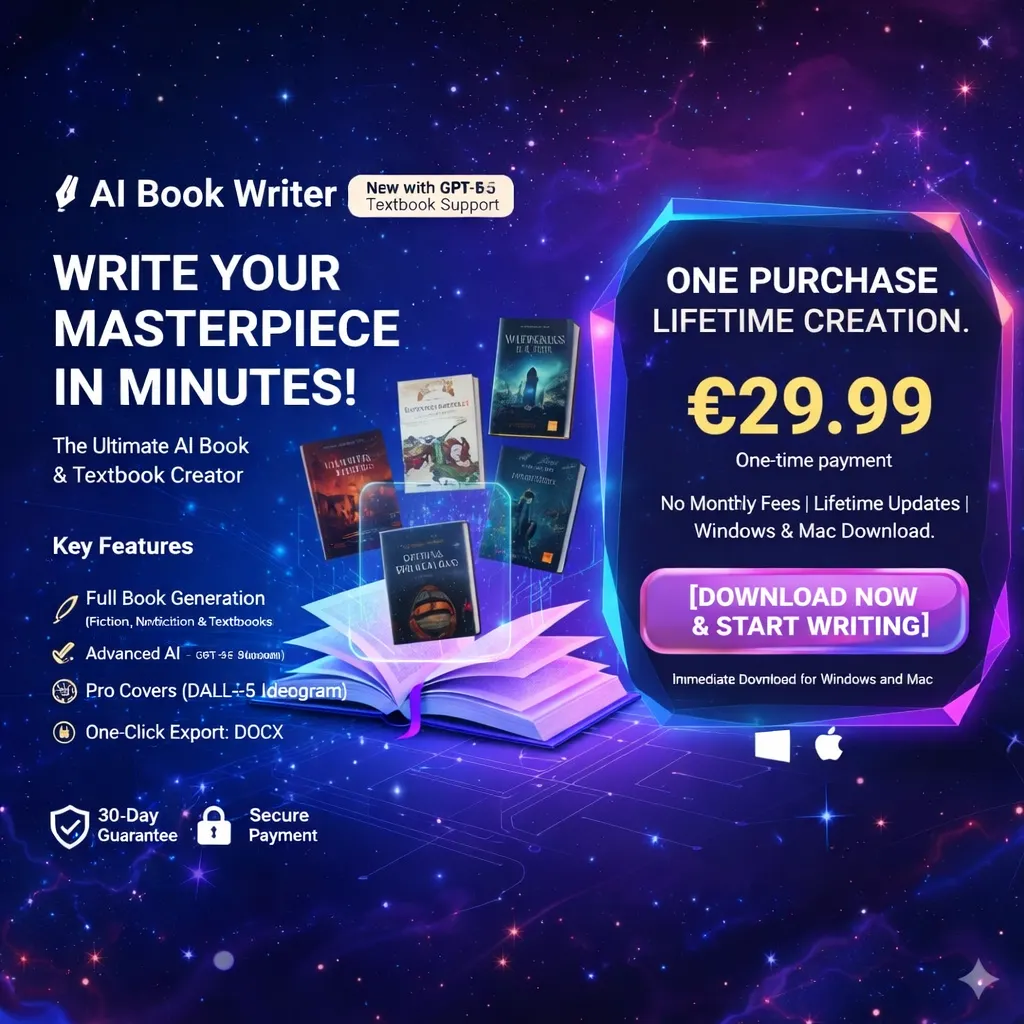
| AIbookwriter | Quick AI Book Creation | Free/Paid versions | Multi-step creation, Cover design, AI content generation |
Detailed Tool Reviews
Canva – Best Visual Ebook Maker for Beginners
Canva makes ebook creation easy and visually stunning, especially if you have no design experience. Its drag-and-drop interface combined with thousands of templates helps you create professional ebooks quickly.
Pros: Intuitive UI, Free tier, Lots of templates
Cons: Limited advanced ebook formatting, not ideal for heavy text books
Create Stunning Ebooks with Canva Now
Kindle Create – Free Ebook Creator for Amazon Publishing
Kindle Create simplifies ebook formatting for direct upload to Amazon Kindle Direct Publishing. Supports reflowable ebooks and print replicas.
Pros: Free, Easy Amazon integration
Cons: Limited to Kindle-supported formats, basic design
Format Your Book for Kindle Today
Designrr – Import and Design With AI Assistance
Designrr turns blogs, Google Docs, and Word documents into polished ebooks with AI-assisted formatting. Perfect for content creators who want a fast solution.
Pros: Auto import and format, Multiple export types
Cons: Some templates feel outdated, Paid plans required
Transform Content to Ebook with Designrr
Google Docs – Best Free Writing & Collaboration Tool
A great platform to draft, edit, and organize your ebook. Real-time collaboration makes it a favorite among educators and authors.
Pros: Completely free, Easy sharing and commenting
Cons: No ebook-specific formatting tools
Write Your Ebook in Google Docs
Reedsy Book Editor – Professional Ebook Formatting
Focused on clean, book-ready formats with export options for EPUB and print, Reedsy is excellent for authors who want professional results without complexity.
Pros: Clean interface, Free to use
Cons: Limited design customization
AIbookwriter – Fast AI Based Ebook Creator
A desktop app that guides users through every step of ebook creation, including AI content generation and cover design.
Pros: Multi-step guided process, AI-powered writing
Cons: Requires download, less community support
Create Your Ebook Easily with AIbookwriter
Why Choose These Tools in 2026?
- Intuitive interfaces let beginners publish in hours, not weeks
- AI assistance reduces writer's block and speeds writing
- Multiple format exports ensure compatibility
- Cloud or desktop options fit different workflows
- Most offer free trials or free tiers to test first
Latest Software Deals and Offers (2026)
| Tool | Offer | Valid Until | Link |
|---|---|---|---|
| Canva | Free Starter & 30% off Pro annual | Ongoing | Get Canva Offer |
| Designrr | One-time fee from $27 | Ongoing | Grab Deal |
| AIbookwriter | Free version + Paid upgrades | Ongoing | Try AIbookwriter |
Who Should Use Ebook Creation Tools?
- Authors wanting a fast, efficient publishing process
- Content creators converting blogs or courses to ebooks
- Entrepreneurs seeking passive income through digital products
- Educators creating downloadable lesson plans or guides
- Marketers building lead magnets and email list growth tools
Tips and Tricks for Creating Ebooks Easily
- Start with a clear outline before writing
- Use templates to speed up design
- Leverage AI tools for writing assistance
- Keep layouts simple for easy reading across devices
- Include hyperlinks and interactive elements if the format allows
- Proofread thoroughly before publishing
Frequently Asked Questions (FAQs)
What is the easiest way to create an ebook?
Using drag-and-drop design tools like Canva combined with writing platforms such as Google Docs or AIbookwriter offers the easiest, fastest way without needing technical skills.
Can I create an ebook for free?
Yes, tools like Google Docs, Canva free plan, Reedsy, and Kindle Create provide free options with professional results suitable for beginners.
What file formats are best for ebooks?
EPUB and MOBI are most widely supported by ebook readers like Kindle and Apple Books, but PDF is also common for downloadable ebooks and print-ready files.
Can AI help make ebooks?
Absolutely. AIbookwriter and similar tools can generate content, suggest ideas, and even design ebook covers, making the process faster and easier.
How do I publish my ebook?
You can publish on Amazon Kindle Direct Publishing, Apple Books, or self-host it via your website and email marketing. Most ebook creators support export formats accepted by major platforms.
Are there Fiverr services to help with ebook creation?
Yes, professional freelancers offer writing, editing, formatting, and cover design services on Fiverr to complement your ebook creation process.
Find Expert Fiverr Ebook Services
Conclusion
The easiest way to create an ebook in 2026 is to combine simple, powerful tools that fit your experience level and goals. Whether you use Canva for design, Google Docs for writing, or AIbookwriter for AI-powered creation, these platforms remove technical barriers so you can focus on your message and your audience.
Start with a clear plan, test tools with free trials, and use high-quality templates and AI features to accelerate your ebook publishing journey. With the right approach and tools, creating a professional ebook is easier than ever, helping you grow your brand and revenue without stress.
Start Creating Your Ebook Today with AIbookwriter

Jiya Malik
Jiya is a Market Research Analyst at Shrtu. She has completed her Bachelor's degree majoring in Management and double minoring in Economics and Communications. Prior to joining Shrtu, Yukta spent a year exploring roles like marketing ops, research, and GTM enablement in the B2B SaaS start-up ecosystem. She is passionate about brand and content marketing, consumer behavior research, and market research. She is keen on learning more about the world of data and research and exploring different industries and market sectors. This is because she believes creativity backed up with data points is very rational and convincing. After work, you can see Yukta exploring cafes, cooking, journaling, or working out.