Choosing between HubSpot vs Zoho CRM can feel overwhelming when you are trying to find the right customer relationship management tool for your business. Both platforms promise to revolutionize how you manage customers, automate your sales process, and track your pipeline. But here is the reality: they work quite differently, and picking the wrong one can cost you time and money.
In this comprehensive guide, I will walk you through everything you need to know about these two leading CRM platforms. By the end, you will understand which solution fits your business needs, budget, and team size. This comparison is based on real-world experience and analysis of both platforms, so you can make an informed decision with confidence.
What is a CRM and Why Does Your Business Need One?
Before diving into the comparison, let me explain what a CRM actually does. A CRM (Customer Relationship Management) system is software that helps you organize, track, and nurture relationships with your customers and prospects. Instead of having customer data scattered across emails, spreadsheets, and different team member's notes, a CRM brings everything into one central location.
When you implement a CRM system, your entire team can see the complete history of every customer interaction. A sales representative knows exactly what the customer has purchased in the past. A customer service agent can see previous support tickets and conversations. Your marketing team understands which campaigns resonated with each prospect. This unified view transforms how you do business.
The benefits of using a CRM include increased productivity, better customer retention, more accurate sales forecasting, and improved team collaboration. According to industry trends in 2025, 81 percent of organizations are expected to use AI-powered CRM systems, making this technology essential for staying competitive.
Understanding Your CRM Needs
To choose between HubSpot and Zoho CRM, start by asking yourself these questions:
What is your team size? Are you a solo entrepreneur, a small team of 5 people, or a growing company with 50 employees?
What is your budget? Can you invest $50 per month or do you have several thousand dollars available?
How technical is your team? Do you need something simple and intuitive, or can your team handle a more complex system?
What features matter most? Are you primarily focused on sales automation, marketing integration, customer service, or do you need all three?
Do you need customization? Will you be happy with the standard features, or do you need to customize workflows and modules for your specific process?
Your answers to these questions will guide you toward the right CRM platform. Let me now break down how HubSpot and Zoho CRM stack up against each other.
HubSpot CRM: Overview and Key Features
HubSpot is a comprehensive inbound marketing and sales platform that has become incredibly popular for businesses of all sizes. The company was founded on the principle that marketing should be helpful, not interruptive, and this philosophy extends to their CRM product.
HubSpot Pricing Structure
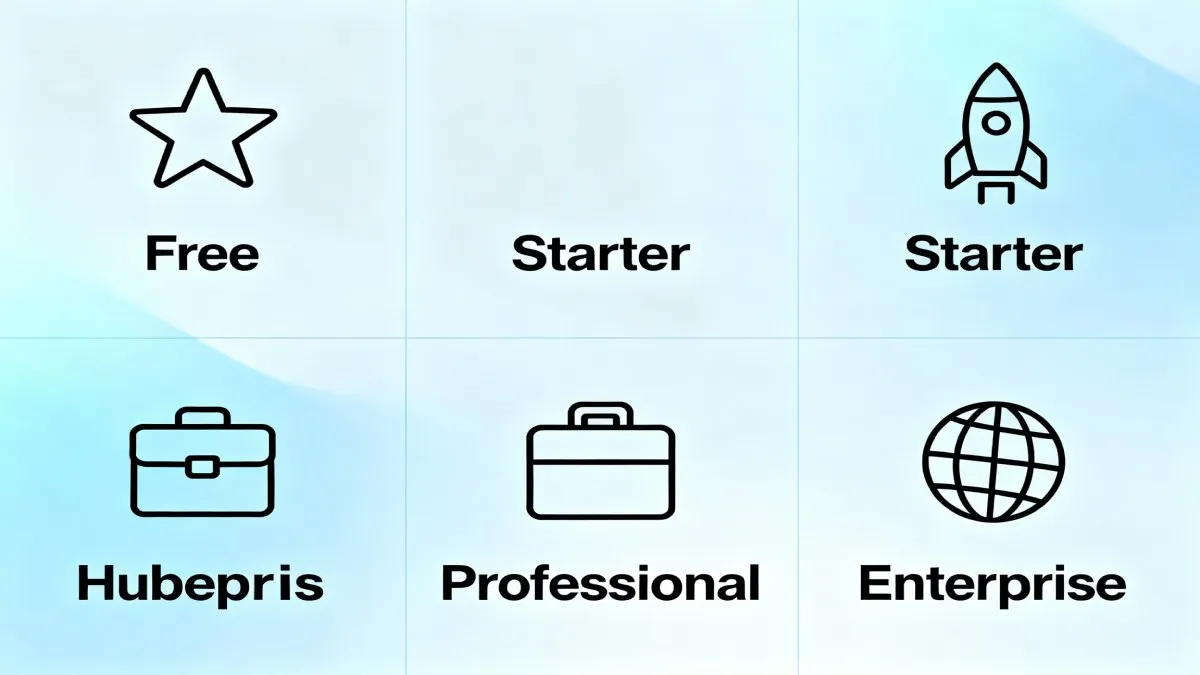
HubSpot's pricing varies depending on which hub you choose (Marketing, Sales, Service, Content, Data, or Commerce). Here is how the Sales Hub pricing breaks down:
| Plan | Monthly Cost | Core Features |
|---|---|---|
| Free | $0 | Contact management, basic deals, email tracking, limited automation |
| Starter | $20/user | Advanced automation, unlimited deals, mobile app, basic reporting |
| Professional | $90/user | Advanced reporting, AI-powered lead scoring, powerful automation, 15 pipelines |
| Enterprise | $120/user | All features, advanced customization, 30 pipelines, priority support |
The important thing to note is that HubSpot requires annual contracts, and you need to pay for additional seats if you want multiple team members to use the system. For small teams just starting, the free plan offers legitimate value with core CRM functionality.
HubSpot Key Features
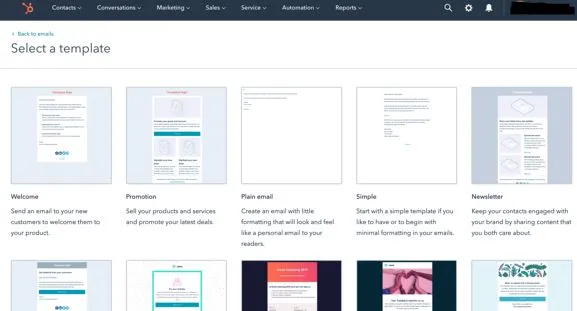
Lead Management and Scoring: HubSpot's lead management system is designed to help you organize and prioritize prospects. The platform offers both manual and predictive lead scoring. Predictive lead scoring uses machine learning to identify which leads are most likely to close within 90 days, so your sales team can focus on high-value opportunities.
Sales Pipeline Management: You can create multiple sales pipelines, each with customizable stages that match your unique sales process. Deal cards provide a visual representation of each opportunity, and you can drag and drop deals between stages as they progress.
Email Automation and Sequences: HubSpot allows you to create email sequences that automatically follow up with prospects based on specific triggers. If a prospect opens your email or clicks a link, you can automatically send them a follow-up message or assign them a task.
Meeting Scheduling: Prospects can book meetings directly on your calendar without endless back-and-forth emails. Research shows that integrating meeting scheduling with forms increases response time by 240 times.
Centralized Contact Database: All customer and prospect information lives in one place. Every interaction, email, call, and note is tracked on the contact timeline, so anyone on your team can see the complete history.
AI-Powered Features: HubSpot's AI tools, collectively called Breeze, help with lead scoring, content recommendations, and workflow automation. These tools become more powerful and available as you move to higher-tier plans.
HubSpot User Experience
One of HubSpot's biggest strengths is its user interface. The platform is designed with simplicity in mind. Navigation is intuitive, dashboards are clean and organized, and even team members who are not tech-savvy can learn to use it quickly. Most users report being productive within their first week of using HubSpot.
The onboarding process is comprehensive with guided tours, video tutorials, and a helpful knowledge base. HubSpot walks new users through setup step by step, which reduces confusion and accelerates the time to value.
Start Your Free HubSpot Trial Today
Zoho CRM: Overview and Key Features
Zoho CRM is part of the larger Zoho ecosystem, which includes dozens of business applications like Zoho Desk, Zoho Books, Zoho Projects, and Zoho Marketing Automation. This makes Zoho attractive for businesses that want an integrated suite of tools.
Zoho CRM Pricing Structure
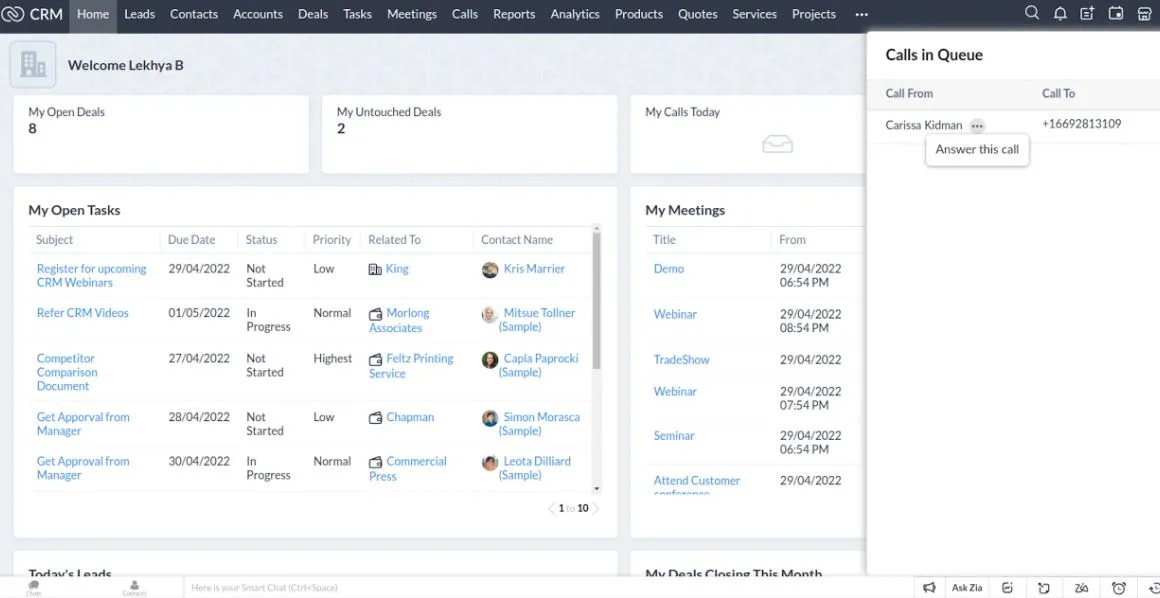
Zoho CRM's pricing is generally more affordable than HubSpot, and the company offers more flexibility with their pricing tiers:
| Plan | Monthly Cost (Billed Annually) | Core Features |
|---|---|---|
| Free | $0 | Contact management, up to 3 users, basic features, 5,000 records |
| Standard | $14/user | Workflow automation, custom dashboards, lead scoring, email campaigns |
| Professional | $23/user | Inventory management, advanced workflows, email integration, social media integration |
| Enterprise | $40/user | Zia AI, advanced customization, multi-user portals, sandbox testing, IP restrictions |
| Ultimate | $52/user | All features, advanced business intelligence, premium support |
Zoho's pricing is transparent and scales affordably as your business grows. Even the Enterprise plan at $40 per user per month is significantly cheaper than HubSpot's Professional or Enterprise tiers.
Zoho CRM Key Features
Zia AI Assistant: Zoho's built-in AI assistant, called Zia, is a standout feature that sets it apart from competitors. Zia can help you create custom modules using plain language prompts, generate workflows, provide sales insights, summarize leads, and analyze customer accounts. This makes Zoho particularly powerful for businesses that want advanced automation without coding.
Extensive Customization: Zoho's strength lies in its customization capabilities. Nearly every field, module, and process can be customized to match your business exactly. You can create custom modules, build partner portals, and set up role-based views. This flexibility makes Zoho ideal for businesses with unique or complex sales processes.
Workflow Automation: Zoho allows you to create unlimited custom workflows on paid plans. You can automate lead assignment, task creation, email notifications, and complex multi-step processes. SalesSignals feature provides real-time notifications about customer interactions across different channels.
Lead Management: Zoho CRM provides comprehensive lead tracking with lead scoring, automated lead assignment, and multi-channel lead capture. You can capture leads from web forms, social media, chat, and email all in one place.
Reporting and Analytics: Zoho offers powerful reporting with customizable dashboards, sales forecasting, and business intelligence tools. Scheduled reports can be automatically sent to your team on a regular basis.
Mobile CRM Capabilities: Zoho's mobile app for Android and iOS is feature-rich, allowing you to manage your entire CRM on the go. You can scan business cards to create contacts, access dashboards with voice commands, and sync data offline.
Zoho CRM User Experience
Zoho's interface is less intuitive than HubSpot's when you first start using it. The platform is more feature-rich and complex, which means there is a steeper learning curve. However, once you invest time in learning Zoho, most users find it to be a powerful and capable system. The tradeoff is that Zoho can do more, but it requires a bit more effort to master.
Zoho offers learning resources through video tutorials, webinars, and documentation, but the onboarding experience is not as hand-held as HubSpot's.
HubSpot vs Zoho CRM: Features Comparison
| Feature | HubSpot | Zoho CRM |
|---|---|---|
| Ease of Use | Highly intuitive, short learning curve | Moderate, steeper learning curve but more powerful |
| Customization | Limited customization, controlled approach | Extensive customization options, can customize almost anything |
| AI Capabilities | Predictive lead scoring, AI-powered insights (higher tiers) | Zia AI assistant, AI-powered module creation, workflow automation |
| Lead Management | Excellent, both manual and predictive scoring | Excellent, automated assignment and multi-channel capture |
| Sales Pipeline | Visual pipeline, drag-and-drop deals, customizable stages | Pipeline management with Kanban view, multiple pipelines |
| Automation | Good automation, limited in free and starter plans | Unlimited workflows on paid plans, more advanced automation |
| Integration Ecosystem | 1,700 plus integrations and extensions | 2,000 plus integrations and custom apps |
| Mobile Experience | Good mobile app functionality | Excellent mobile app with offline access and AI voice commands |
| Pricing | Higher cost, especially at scale | More affordable, good value for money |
| Free Plan | Yes, with limited features and 2 users | Yes, with limited features and up to 3 users |
| Customer Support | Good support but can be slow on lower tiers | Responsive support, especially for paid plans |
Pros and Cons of HubSpot CRM
HubSpot Pros
User-Friendly Interface: HubSpot's clean, intuitive design makes it easy for teams to adopt quickly. You do not need extensive training before your team can start using it productively.
Excellent Onboarding: The guided setup process is comprehensive and helpful. New users are walked through the entire setup with clear instructions and helpful tutorials.
Strong Inbound Marketing Features: If you use HubSpot's marketing hub alongside the CRM, you get seamless integration between marketing and sales. Email marketing, landing pages, and advertising tools are built right in.
Visual Pipeline Management: The drag-and-drop pipeline view is intuitive and helps sales teams visualize their opportunities at a glance.
Predictive Lead Scoring: HubSpot's machine learning-powered lead scoring is excellent and helps teams prioritize high-value opportunities.
HubSpot Cons
Higher Pricing: HubSpot becomes expensive as you scale. For a team of 10 people on the Professional plan, you could easily be paying several thousand dollars monthly.
Limited Customization: If your business process is unique or complex, HubSpot's limitations on customization may frustrate you. The platform is designed to work a certain way, and you cannot deviate too far.
Can Feel Overwhelming for Small Teams: While HubSpot is easy to use, the sheer number of features and options can feel overwhelming to solo entrepreneurs or very small teams.
Customer Service Issues: Some users report difficulties with HubSpot's customer support on lower-tier plans, with slow response times and unwillingness to resolve issues.
No Kanban View: Unlike Zoho, HubSpot lacks a Kanban board view for visualizing deal stages, which some teams prefer.
Pros and Cons of Zoho CRM
Zoho CRM Pros
Affordable Pricing: Zoho's pricing is significantly lower than HubSpot, making it an excellent choice for budget-conscious businesses and startups.
Extensive Customization: You can customize almost every aspect of Zoho CRM to match your exact business process. This makes it ideal for businesses with unique requirements.
Zia AI Assistant: Zoho's AI assistant is genuinely innovative. You can create custom modules and workflows using natural language prompts, which is a game-changer for productivity.
Zoho Ecosystem: If you use other Zoho applications like Zoho Desk or Zoho Books, integration is seamless and the user experience is cohesive.
Powerful Mobile App: Zoho's mobile application is feature-rich with offline access, voice commands, and AI integration.
Better Value for Advanced Features: Enterprise-level features like AI, advanced customization, and sandboxes are available at reasonable price points.
Zoho CRM Cons
Steeper Learning Curve: The interface is not as intuitive as HubSpot's. It takes longer to get comfortable with the platform, especially for non-technical users.
Less Obvious Navigation: With so many features and options, it can be unclear how to accomplish certain tasks. Users often struggle to find where to access specific functionality.
Fewer Onboarding Resources: While Zoho provides documentation and tutorials, the onboarding experience is not as guided and comprehensive as HubSpot's.
Multiple Interfaces Across Zoho Apps: If you use multiple Zoho applications, each has its own interface which can create a disjointed experience despite them being integrated.
Support Quality Varies: While Zoho's support is generally responsive, the quality of support can be inconsistent depending on the team handling your ticket.
HubSpot vs Zoho CRM: Who Should Choose Each Platform
Choose HubSpot If You Are:
An agency or marketing company: HubSpot's marketing tools are unmatched in the industry. If you are managing campaigns and content for clients, HubSpot is the natural choice.
A growing mid-market company: HubSpot scales well and is built for growing teams that want more features and functionality as they expand.
Prioritizing ease of use: If your team has limited technical skills and you need something that your team can use immediately, HubSpot is the better option.
Already using HubSpot tools: If you are already using HubSpot for marketing or service, adding the sales CRM is a natural progression.
Wanting the most user-friendly experience: HubSpot is the winner for user experience and intuitiveness.
Choose Zoho CRM If You Are:
A startup or small business with budget constraints: If you need powerful CRM functionality without breaking the bank, Zoho is the clear winner.
Operating with a complex sales process: If your business has unique workflows or requirements, Zoho's customization capabilities make it the better choice.
Already invested in the Zoho ecosystem: If you are using Zoho Books, Zoho Desk, or other Zoho applications, adding Zoho CRM creates a unified system.
Wanting advanced AI capabilities: Zoho's Zia AI assistant is more advanced and integrated than HubSpot's AI features, especially for automation.
Valuing mobile and field sales: Zoho's mobile app is superior, making it ideal for field sales teams and mobile-first organizations.
Needing unlimited customization: If standard CRM features do not fit your needs, Zoho's extensive customization is unmatched.
HubSpot vs Zoho CRM: Specific Use Case Scenarios
Scenario 1: Small Digital Marketing Agency
You are a small digital marketing agency with 3 team members. You need to manage client relationships, track campaign performance, and coordinate between your team.
Winner: HubSpot
HubSpot's integrated marketing and CRM tools are purpose-built for agencies. You can manage campaigns, track client communications, and generate reports all in one platform. The user-friendly interface means your team can onboard quickly and start generating value immediately.
Scenario 2: SaaS Company with Complex Sales Process
You are a SaaS company with a complex sales cycle that involves multiple stakeholders, custom pricing, and specific deal stages that do not fit standard CRM templates.
Winner: Zoho CRM
Zoho's extensive customization capabilities allow you to build exactly the sales process you need. You can create custom fields, modules, and workflows that match your unique sales methodology. Zoho can adapt to your process rather than forcing your process to fit the software.
Scenario 3: Real Estate Office
You run a real estate office with 15 sales agents in the field. Your agents need mobile access, they need to manage leads from multiple sources, and they need team visibility into the entire pipeline.
Winner: Zoho CRM (with a close call)
Zoho's superior mobile application, affordable per-user pricing, and field sales features make it ideal for a real estate office. You can equip all 15 agents with the software for a reasonable cost. Zoho's mobile app with offline access and voice commands works great for agents in the field. However, HubSpot would also work well if your budget allows.
Scenario 4: Enterprise SaaS with Multiple Teams
You are a large SaaS company with separate teams for inside sales, field sales, customer success, and support. You need robust reporting, role-based access, and advanced analytics.
Winner: HubSpot (slightly)
HubSpot's powerful analytics, advanced reporting, and multi-team capabilities make it suitable for enterprises. However, Zoho CRM Enterprise could also work if you want more customization and lower costs.
Start Your Free HubSpot Trial Today
Integration Capabilities: HubSpot vs Zoho CRM
Both HubSpot and Zoho CRM integrate with hundreds of third-party applications. HubSpot offers 1,700 plus integrations through its app marketplace, while Zoho offers 2,000 plus integrations.
HubSpot Integration Strengths: HubSpot integrates seamlessly with major marketing tools like Google Ads, Facebook, and LinkedIn. If you use HubSpot's entire platform (marketing, sales, service), integrations are native and work flawlessly.
Zoho Integration Strengths: Zoho integrates beautifully with other Zoho applications. If you are using Zoho Books for accounting or Zoho Desk for support, the integration is seamless. Zoho also integrates well with platforms like Zapier for more complex automation scenarios.
Integration Consideration: You can integrate HubSpot and Zoho CRM together if you need to use both platforms. Zoho Meeting now integrates with HubSpot, allowing you to unify conversations and follow-ups across both systems.
Pricing Deep Dive: What You Will Actually Pay
Let me break down what you will actually spend on each platform for a realistic scenario.
Scenario: Small Team of 3 People
HubSpot Sales Hub Starter: $20 per user per month = $60 per month = $720 per year (minimum, with annual commitment)
Zoho CRM Professional: $23 per user per month = $69 per month when billed annually = $552 per year (after 20 percent discount)
In this scenario, Zoho costs about $168 less per year for the same three users.
Scenario: Team of 10 People
HubSpot Sales Hub Professional: $90 per user per month = $900 per month = $10,800 per year (with annual commitment)
Zoho CRM Professional: $23 per user per month = $230 per month when billed annually = $1,840 per year (after 20 percent discount)
For a team of 10, HubSpot costs nearly $9,000 more per year than Zoho CRM.
When factoring in additional features like marketing automation or customer service, the price gap widens significantly. This pricing difference is one of the biggest reasons why cost-conscious businesses choose Zoho.
Enhance Your CRM Workflow with Semrush
While you are evaluating CRM platforms, consider how you will handle keyword research and SEO tracking for your sales and marketing campaigns. Semrush is a powerful tool that integrates with both HubSpot and Zoho CRM, allowing you to pull SEO data directly into your customer records.
With Semrush integrated into your CRM, you can track how your prospects are ranking for important keywords, monitor your competitors, and adjust your sales strategy based on their online presence. This integration transforms your CRM from a simple contact manager into a strategic sales intelligence platform.
Explore Semrush Integration Options Today
Automate Your Service Delivery with Fiverr
Once you implement your CRM and start managing leads more effectively, you may discover that you need additional resources to deliver on all the opportunities. Whether you need help with custom CRM setup, data migration from an old system, or creating automation workflows, hiring freelancers through Fiverr can accelerate your implementation.
Fiverr connects you with experienced professionals who specialize in both HubSpot and Zoho CRM. You can hire someone to set up your initial workflows, train your team, or customize the platform to match your specific business process.
Find CRM Setup Experts on Fiverr
Making the Final Decision: HubSpot vs Zoho CRM
Decision Framework
To make your final decision, ask yourself these questions in order of importance:
Is budget my primary concern? If yes, Zoho CRM is the answer. You will save significant money while getting powerful features.
Do I need the easiest possible user experience? If yes, HubSpot is the better choice. Your team will be productive faster.
Do I have unique or complex business processes? If yes, Zoho CRM's customization will serve you better than HubSpot's more rigid structure.
Am I already using other tools from this vendor? If you are already using HubSpot's marketing hub, stay with HubSpot. If you use other Zoho apps, go with Zoho CRM.
How important is mobile access for my team? If your team is mobile-first, Zoho's superior mobile app is a big advantage.
What is my team's technical comfort level? Less technical teams should choose HubSpot. Teams with more technical skills can handle Zoho's complexity.
My Recommendation
If you are building a business today in 2025, I recommend starting with a free trial of both platforms. Set up the same scenario in each system. Create a few sample contacts, build a sales pipeline, and set up an automation workflow. This hands-on experience will tell you far more than any comparison article.
After your trial, ask your team which platform felt more natural. If your team says HubSpot felt intuitive and powerful, choose HubSpot. If your team appreciated Zoho's flexibility and were willing to invest time learning it, choose Zoho.
Here is the truth: both platforms are excellent. You cannot make a bad choice between them. What matters is choosing the one that fits your specific situation and then committing to using it well.
Frequently Asked Questions: HubSpot vs Zoho CRM
What is the main difference between HubSpot and Zoho CRM?
The main difference is that HubSpot prioritizes ease of use and has strong marketing tools built in, while Zoho CRM prioritizes customization and affordability. HubSpot is more straightforward but more expensive. Zoho is more flexible and cheaper but has a steeper learning curve.
Which CRM has better lead management capabilities?
Both have excellent lead management. HubSpot's predictive lead scoring using machine learning is slightly more advanced. However, Zoho's automated lead assignment and multi-channel lead capture are more flexible. For most businesses, both are comparable in lead management quality.
Can I use both HubSpot and Zoho CRM together?
Yes, you can integrate HubSpot and Zoho CRM using native integrations or third-party tools like Zapier. However, using both simultaneously adds complexity. I recommend choosing one as your primary system.
Is HubSpot or Zoho CRM better for small businesses?
For small businesses focused on affordability, Zoho CRM is the better choice. You get powerful features at a fraction of HubSpot's cost. However, if your small business prioritizes ease of use and has budget available, HubSpot is also excellent for small teams.
Which CRM is best for sales teams?
Both are excellent for sales teams. HubSpot offers a slightly more intuitive pipeline view and predictive lead scoring. Zoho CRM offers better customization for complex sales processes and superior mobile access for field sales. Choose based on your team's specific sales process.
How long does it take to implement each CRM?
HubSpot can typically be implemented and your team productive within 1-2 weeks. Zoho CRM implementation varies from 2-4 weeks depending on your customization needs. Both can be set up more quickly if you keep it simple and add features gradually.
What about customer support and training?
HubSpot provides extensive onboarding and training resources. However, customer support quality can vary by plan. Zoho CRM provides good support and training, with responsive support teams for paid plans. Both have helpful knowledge bases and community forums.
Will my data be secure in either platform?
Yes, both HubSpot and Zoho CRM prioritize security. Both offer encryption, regular backups, and comply with major data protection regulations. In 2025, 85 percent of CRM providers offer built-in compliance tools, and both of these platforms meet modern security standards.
Can I switch from HubSpot to Zoho or vice versa later?
Yes, you can migrate your data from one platform to another. Both platforms support data exports, and third-party migration services can help transfer your customer data, deals, and histories to the new system. Plan for some downtime and data cleanup during the migration.
Which platform has better reporting and analytics?
Both offer powerful reporting. HubSpot's reporting is user-friendly with preset dashboards. Zoho CRM offers more customizable reporting with advanced business intelligence features. For most businesses, the difference is not significant enough to be a deciding factor.
The Bottom Line: HubSpot vs Zoho CRM
Choosing between HubSpot and Zoho CRM depends on your specific business needs, budget, and team composition. There is no universally correct answer.
Choose HubSpot if: You want the easiest user experience, you value strong marketing tools, you have budget available, or you are already using HubSpot for marketing.
Choose Zoho CRM if: You have budget constraints, you need extensive customization, you want superior mobile capabilities, or you are already using Zoho applications.
Both platforms are powerful, reliable, and used by hundreds of thousands of businesses worldwide. What matters most is that you choose one and commit to implementing it well. The best CRM for your business is the one that your team will actually use consistently.
Start Your Free HubSpot Trial Today
Get Started with Zoho CRM Free Plan
Remember, both platforms offer free trials and free plans. Test drive both before making your final decision. Your business will benefit from having a centralized CRM system regardless of which platform you choose.

Julie Jung
Julie is a Senior Research Analyst at Shrtu concentrating on sales and marketing software. Prior to joining Shrtu, she worked at a Big 4 accounting firm and at a BI software company where her roles focused on supporting growth and B2B marketing and sales efforts. These experiences have cultivated her passion for learning how technology impacts businesses, and how it delivers results. She earned her Bachelor of Science in Marketing from the University of South Florida.