Are you spending more time on paperwork and admin tasks than actually selling? Most sales professionals waste approximately 5 hours every week on repetitive manual work that could be automated. This is where AI sales automation tools become game-changing for your revenue team.
The best part? Sales teams using AI are 1.3 times more likely to achieve their revenue targets compared to those working without it. Research shows that 83 percent of sales teams adopting AI automation saw measurable revenue growth, while those teams saved anywhere from 2 to 5 hours daily on non-selling activities.
In this guide, I have tested and compared the best 9 AI sales automation tools available in 2026. You will discover which tools work best for different business sizes, what features matter most, real pricing information, and exactly how these solutions can transform your sales process. Whether you are a solo sales rep, managing a small team, or running an enterprise operation, there is an AI automation tool for sales that fits your exact needs.
What Are AI Sales Automation Tools and Why Your Team Needs Them
AI sales automation tools are intelligent platforms that use artificial intelligence to handle repetitive sales tasks automatically. Instead of manually updating your CRM, sending follow-up emails, scoring leads, or scheduling meetings, these tools do the work for you with minimal human intervention.
Think of AI sales automation as having an extra team member who never sleeps. This virtual assistant works 24/7 managing your pipeline, qualifying leads, tracking deal health, and ensuring no opportunity falls through the cracks.
Key Problems AI Sales Automation Solves
Eliminates Hours of Manual Data Entry: Sales professionals spend significant time manually logging activities and updating CRM records. AI automation captures this information automatically, ensuring your pipeline is always accurate without extra effort.
Identifies High-Value Leads Instantly: Instead of manually reviewing hundreds of leads, AI scores them based on buying likelihood. You focus only on prospects most likely to close, improving your conversion rate dramatically.
Stops Deals from Slipping: AI monitors your pipeline constantly and alerts you to at-risk deals before they disappear. You get early warnings about stalled opportunities, allowing you to take action.
Automates Time-Consuming Follow-ups: Email sequences, meeting scheduling, and reminder follow-ups happen automatically. This reduces the burden on your team and ensures consistent customer engagement.
Personalizes Outreach at Scale: AI analyzes customer data to craft personalized messages that feel natural, not generic. Higher personalization leads to better open rates, response rates, and ultimately more meetings scheduled.
Provides Real-Time Sales Insights: Rather than waiting for end-of-month reporting, AI gives you immediate visibility into what is working, which deals are progressing, and where you need to adjust your approach.
9 Best AI Sales Automation Tools for 2026
1. HubSpot Sales Hub (Best All-in-One Solution)
What it does: HubSpot Sales Hub is a comprehensive CRM platform with built-in AI that helps teams close 36 percent more deals. It combines contact management, pipeline visualization, email automation, meeting scheduling, and conversation intelligence all in one place.
Key Features That Stand Out:
- AI Prospecting Agent (Breeze) that analyzes target accounts and delivers actionable insights in minutes
- Predictive lead scoring to prioritize high-quality prospects
- Automated email sequences and follow-ups
- One-click meeting scheduling with calendar integration
- AI-powered sales content writer for personalized messages
- Call recording and transcription with key insights
- Real-time deal recommendations and next-best actions
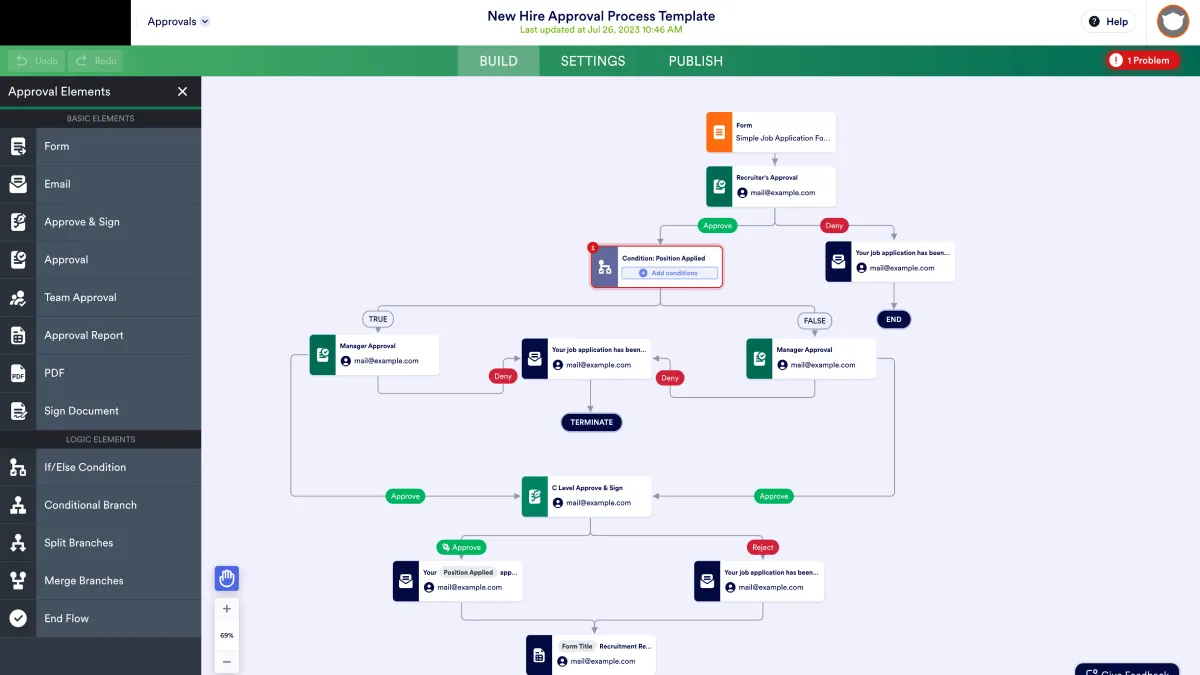
- Visual pipeline management with deal tracking
How It Works: Start by connecting your email and calendar. HubSpot automatically logs all your customer interactions, meetings, and emails. The AI layer then analyzes this data to recommend which leads to prioritize, suggests the best time to follow up, and even drafts personalized outreach messages. Everything happens automatically while you focus on closing.
Best For: Small to medium-sized sales teams, companies new to AI automation, teams wanting everything in one platform, sales leaders who need real pipeline visibility.
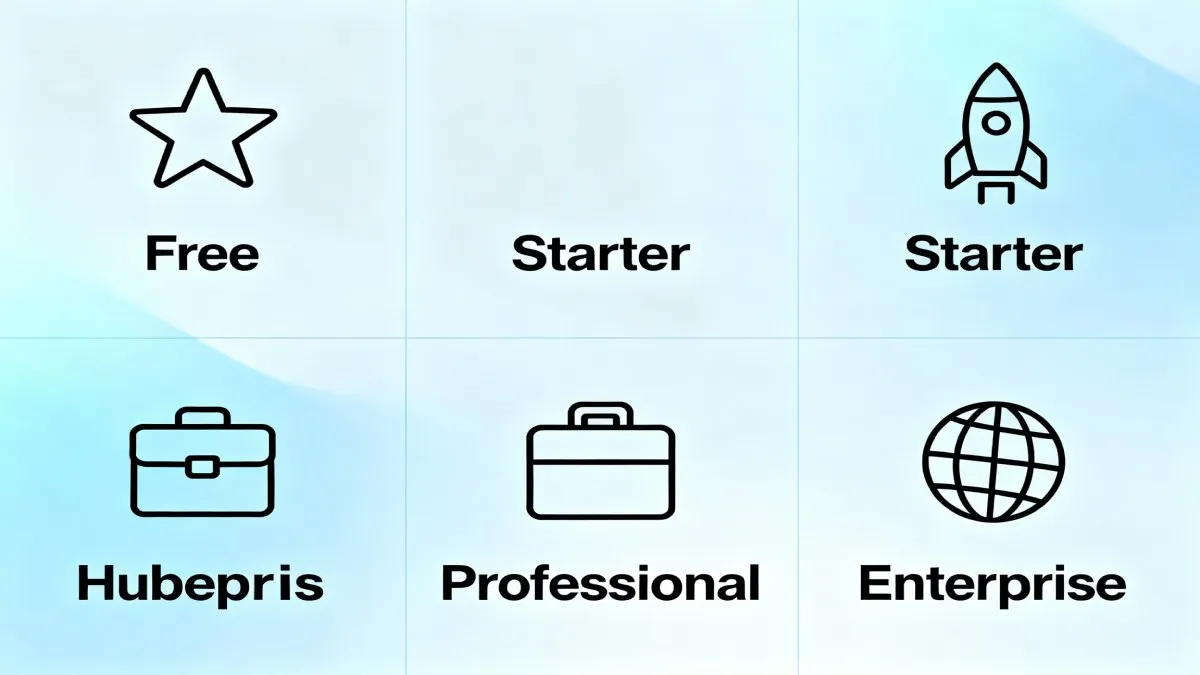
- Free plan: Basic CRM with limited features
- Starter: $20 per user per month
- Professional: $90 per user per month (includes AI features)
- Enterprise: $150 per user per month
Pros:
- Extremely beginner-friendly with excellent onboarding
- Free plan is actually useful for small teams
- Seamless integration with email, calendar, and business apps
- Proven results: users report 36 percent more closed deals
- Excellent customer support and learning resources
- AI features work right out of the box with no complex configuration
Cons:
- Can feel overwhelming with too many features for basic users
- Professional and Enterprise tiers required for full AI benefits
- Pricing increases with more team members
2. Salesforce Sales Cloud with Einstein (Best for Enterprise)
What it does: Salesforce is the industry-leading CRM enhanced with Einstein AI. This platform is built for large, complex sales organizations that need powerful customization and advanced analytics.
Key Features That Stand Out:
- Einstein AI Copilot providing real-time guidance during customer conversations
- Predictive lead scoring and opportunity insights
- Automated data capture from emails and meetings
- AI-powered deal risk analysis and forecasting
- Personalized sales coaching and recommendations
- Activity suggestions for moving deals forward
- Deep customization for enterprise processes
- Advanced workflow automation with unlimited flexibility
How It Works: Salesforce centralizes all customer information and sales processes. Einstein AI analyzes historical patterns, current activity, and deal characteristics to predict which opportunities will close, which are at risk, and what actions the rep should take next. This guidance appears directly in the interface as sellers work.
Best For: Enterprise companies with complex sales structures, organizations needing deep customization, large teams with multiple sales roles, companies willing to invest in implementation and training.
Pricing:
- Starter: $25 per user per month
- Professional: $100 per user per month
- Enterprise: $165 per user per month
- Unlimited: $300 per user per month
- Custom pricing for Agentforce (advanced automation)
Pros:
- Industry-leading AI and analytics capabilities
- Unmatched customization and scalability
- Works with unlimited team members and configurations
- Excellent for managing large, complex pipelines
- Strong security and compliance features
Cons:
- Steep learning curve for new users
- Requires significant implementation time and often needs consultants
- Higher price point than smaller competitors
- Can feel over-engineered for small teams
3. Outreach (Best for Sales Engagement and Pipeline Automation)
What it does: Outreach is a dedicated sales engagement platform focused on automating the entire customer interaction process. It specializes in sequencing, multi-channel outreach, and pipeline management.
Key Features That Stand Out:
- AI-powered sales sequences with automatic send optimization
- Multi-channel outreach: email, phone, SMS, social media
- Conversation intelligence with live call coaching
- Deal stage automation and task management
- AI-guided selling with recommended next actions
- Detailed activity analytics and ROI tracking
- Deep CRM integration with Salesforce and HubSpot
- Team collaboration and coaching tools
How It Works: Create a sales cadence once, and Outreach automates it across your entire team. The AI learns from successful interactions, automatically adjusting when to send emails, which channels to use, and what message resonates with different prospect types. The platform also transcribes calls and provides real-time coaching during conversations.
Best For: Sales teams focused on outbound prospecting, organizations emphasizing consistent customer engagement, teams wanting multi-channel automation, sales managers needing team visibility and coaching.
Pricing: Custom pricing starting around $1,200+ per month (per seat), typically requiring enterprise budget.
Pros:
- Exceptional at automating entire customer engagement sequences
- Real-time conversation intelligence and coaching
- Multi-channel automation is superior to competitors
- Strong team management and transparency features
- Excellent integration with major CRMs
Cons:
- High price point
- Steeper learning curve
- Requires buy-in from entire sales organization
- Better suited for teams with 10+ members
4. Persana AI (Best for AI-Driven Lead Intelligence)
What it does: Persana AI combines AI sales intelligence with workflow automation. It unifies data from 75 different sources to identify opportunities and automate personalized outreach.
Key Features That Stand Out:
- Signal-based selling that tracks buying intent indicators
- Integration of CRM data with 75+ external data sources
- AI-powered lead scoring and prioritization
- Automated personalized email sequences
- Job change alerts and company signals
- Integration with HubSpot and Salesforce
- Real-time opportunity identification
- Intelligent outreach timing recommendations
How It Works: Persana connects to your CRM and automatically pulls in external signals about prospects and companies (job changes, funding news, hiring activity, technology adoption, etc.). The AI analyzes this data to score leads based on buying likelihood. Then it automatically generates personalized outreach mentioning specific signals, dramatically improving response rates.
Best For: Sales teams focused on account-based selling, B2B companies with long sales cycles, organizations wanting intelligent lead prioritization, teams that want automation with human-quality personalization.
Pricing:
- Unlimited Plan: $750 per month
- Includes unlimited enrichments, 50,000 data credits, CRM integrations
- Custom enterprise pricing available
Pros:
- 95 percent of leads generated are qualified (user-reported)
- Truly personalized outreach at scale
- Teams report reclaiming 3+ weeks per month of time
- Superior lead quality compared to cold outreach tools
- Integrates well with existing CRM workflows
Cons:
- Higher price point
- Requires quality CRM data to be effective
- Less suitable for very small teams or single reps
5. Clay (Best for Prospect Research and Data Enrichment)
What it does: Clay is an AI-powered sales intelligence platform that combines data from 100+ premium sources to enrich prospect information and automate lead research.
Key Features That Stand Out:
- Data enrichment from 75+ premium sources in real-time
- AI assistant that answers questions about people and companies
- Automated personalized outreach generation
- Trigger-based workflow automation
- Email finder and verification
- Integration with CRMs and email platforms
- List building and segmentation
- Chrome extension for quick enrichment
How It Works: Start with a list of target accounts or prospects. Clay automatically enriches this data with hundreds of data points from public sources (company size, funding, technology stack, decision makers, recent news, etc.). The AI assistant answers your questions about these prospects in seconds instead of hours of manual research. Then automate personalized outreach based on this intelligence.
Best For: Sales development reps and prospecting teams, organizations wanting to reduce manual research time, account-based selling teams, companies needing detailed prospect intelligence.
Pricing: Custom pricing, typically starting at $200+ per month.
Pros:
- Removes the need for time-consuming prospect research
- Extremely accurate data enrichment
- AI assistant saves hours compared to manual research
- Easy to build custom workflows
- Great integration ecosystem
Cons:
- Custom pricing (not transparent upfront)
- Learning curve for building advanced workflows
- Better for SDRs than senior sales reps
6. ZoomInfo Copilot (Best for B2B Sales with Buying Intent Data)
What it does: ZoomInfo is the largest B2B database in the world, and their Copilot adds AI to help sales teams prioritize accounts based on real buying intent signals and automatically guide what to say.
Key Features That Stand Out:
- Access to over 250 million B2B contacts and 20 million companies
- Buying intent signals showing who is actively in-market
- Automatic buying group mapping and identification
- AI-powered account summaries and context
- Recommended contacts, timing, and messaging
- Integration with Salesforce, HubSpot, Microsoft Dynamics
- Email and Slack alerts for hot opportunities
- Account scoring based on buying signals
How It Works: ZoomInfo combines their massive B2B database with behavioral signals to identify companies actively looking for solutions like yours. The AI maps the buying group (all decision makers) and recommends who to contact, when, and what to say. This surfaces warm opportunities instead of cold outreach.
Best For: B2B companies selling to enterprises, account executives wanting smarter prospecting, sales teams seeking early warning of buying opportunities, organizations with longer sales cycles.
Pricing: Custom pricing based on company size and data access level (typically $500+ per user annually).
Pros:
- Unmatched B2B data quality and coverage
- Buying intent signals give competitive advantage
- Buying group mapping saves prospecting time
- Trusted by most enterprise sales teams
- Excellent data accuracy
Cons:
- High price point
- Less valuable for SMB or consumer-focused sales
- Implementation requires some setup
7. Pipedrive (Best for Small to Mid-Market Sales Teams)
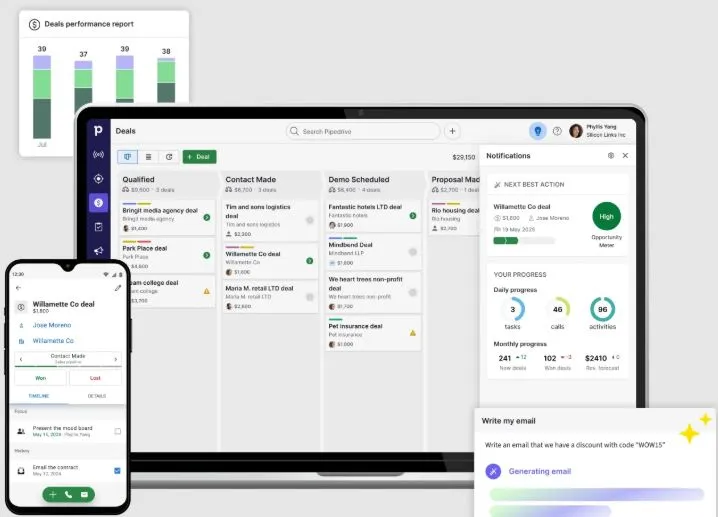
What it does: Pipedrive is a visual CRM platform specifically designed for sales teams. Its AI Sales Assistant helps teams stay organized and catch opportunities before they slip.
Key Features That Stand Out:
- Beautiful visual pipeline with easy drag-and-drop interface
- AI Sales Assistant that alerts about inactive deals
- Automated deal progression recommendations
- Activity reminders and task management
- Email integration and automatic logging
- Sales forecasting and reporting
- Mobile app for on-the-go selling
- Integration with 400+ business tools
How It Works: Pipedrive centers on your sales pipeline. The AI continuously monitors deal activity and alerts you when deals have gone inactive or suggest moving a deal to the next stage. It automatically logs emails and calls, keeping your pipeline updated without manual effort. The visual interface makes it easy to see your entire pipeline at a glance.
Best For: Small sales teams (5-30 people), companies wanting visual pipeline management, teams new to CRM automation, organizations on tight budgets.
Pricing:
- Essential: $15 per user per month
- Advanced: $29 per user per month
- Professional: $59 per user per month (AI Sales Assistant starts here)
- Enterprise: $99 per user per month
Pros:
- Affordable compared to competitors
- Very intuitive interface, minimal training needed
- Excellent for teams that value visual pipeline management
- Strong mobile app and accessibility features
- Quick implementation and onboarding
Cons:
- Less powerful customization than Salesforce
- Advanced AI features limited to higher tiers
- Some users find it less feature-rich than enterprise competitors
8. Drift (Best for AI-Powered Conversations and Lead Qualification)
What it does: Drift specializes in AI-powered chatbots and live conversations. It automates initial lead qualification and customer engagement, qualifying prospects 24/7 without human intervention.
Key Features That Stand Out:
- AI Bionic Chatbots that answer questions accurately without maintenance
- Live messaging for real-time conversation with prospects
- Automatic lead qualification through conversation
- Meeting booking integrated into chat
- Seamless handoff to sales reps
- Conversation analytics and insights
- Integration with major CRMs
- Works on website, apps, and messaging platforms
How It Works: Drift deploys an AI chatbot on your website or messaging platforms. When prospects arrive, the chatbot engages them with personalized conversations. The AI qualifies whether they are a good fit, answers their questions, and either schedules a meeting or hands them off to a sales rep. This happens instantly, even outside business hours.
Best For: B2B companies wanting to automate lead qualification, high-traffic websites needing to engage visitors, teams wanting 24/7 lead engagement, companies where fast response time matters.
Pricing: Starts at $2,500 per month (billed annually), with custom pricing for enterprise.
Pros:
- Exceptional at automating initial engagement
- Provides 24/7 customer engagement
- AI quality is consistently high
- Seamless integration with CRM and booking systems
- Excellent customer support
Cons:
- Higher price point than some competitors
- Better suited for companies with higher website traffic
- Requires ongoing optimization for best results
9. Freshsales (Best Budget-Friendly Option for SMBs)
What it does: Freshsales is an affordable CRM with built-in AI that helps small businesses compete like enterprises. It combines pipeline management with conversation intelligence at a fraction of the cost of larger competitors.
Key Features That Stand Out:
- Freddy AI that provides 24/7 assistance and deal insights
- Conversation intelligence analyzing sales calls
- Predictive lead scoring based on behavioral patterns
- Multiple pipeline management
- Email tracking and templates
- Phone integration with call recording
- Mobile app for field sales
- Integration with 100+ apps
How It Works: Freshsales automatically logs your customer interactions and analyzes them to identify patterns. Freddy AI then provides real-time insights about which deals are progressing well, which prospects are most engaged, and who needs a follow-up. The conversation intelligence feature analyzes your sales calls to provide feedback on performance.
Best For: Startup and SMB sales teams, budget-conscious organizations, companies just adopting CRM technology, sales teams wanting conversation intelligence affordably.
Pricing:
- Free plan: Basic CRM with limited features
- Growth: $12 per user per month
- Pro: $32 per user per month
- Enterprise: $99 per user per month
Pros:
- Extremely affordable, especially the free and Growth plans
- Freddy AI provides surprisingly good insights
- Excellent conversation intelligence at this price point
- Easy to set up and use
- Good mobile experience for field sales teams
Cons:
- Less powerful automation than enterprise competitors
- Limited customization options
- Not as scalable for large teams
Complete Feature Comparison Table
| Tool | Lead Scoring | Email Automation | CRM Integration | Conversation Intelligence | Pipeline Management | Starting Price | Best For |
|---|---|---|---|---|---|---|---|
| HubSpot Sales Hub | Yes | Yes | Built-in CRM | Yes | Excellent | Free/$20/mo | All-in-one teams |
| Salesforce Sales Cloud | Yes | Yes | Built-in CRM | Yes | Advanced | $25/user/mo | Enterprise |
| Outreach | Yes | Advanced | Both | Yes | Advanced | $1200+/mo | Sales engagement focus |
| Persana AI | Advanced | Yes | Both | Limited | Basic | $750/mo | Lead intelligence |
| Clay | Yes | Yes | Both | No | No | $200+/mo | Prospect research |
| ZoomInfo Copilot | Advanced | Limited | Both | No | No | Custom pricing | B2B intent data |
| Pipedrive | Yes | Yes | Both | No | Excellent | $15/user/mo | SMB teams |
| Drift | Yes | Limited | Both | Yes | No | $2500/mo | Chatbot and chat |
| Freshsales | Yes | Yes | Built-in CRM | Yes | Good | Free/$12/mo | Budget-conscious SMBs |
How to Choose the Right AI Sales Automation Tool for Your Team
Selecting the right tool depends on your specific situation. Let me help you decide based on your needs.
What Is Your Company Size and Budget?
If you are a solo rep or very small team (1-3 people): Look at Pipedrive or Freshsales. These offer excellent features at the lowest price points. HubSpot Free also works if you want all-in-one functionality.
If you manage a small team (4-10 people): HubSpot Professional, Pipedrive Professional, or Freshsales Pro offer great value. You get serious AI capabilities without enterprise pricing.
If you have a growing team (10-30 people): Consider HubSpot Professional/Enterprise, Salesforce, or Outreach depending on your specific needs.
If you are a large enterprise (30+ people): Salesforce, Outreach, or ZoomInfo Copilot are better suited to your complexity and requirements.
What Is Your Primary Pain Point?
If you waste too much time on admin and data entry: HubSpot or Freshsales will save you the most time. Both automate activity logging and task management.
If you struggle to identify which leads are worth pursuing: Persana AI, Clay, or ZoomInfo Copilot provide the best lead intelligence and scoring.
If deals are slipping through the cracks: Pipedrive is exceptional at keeping pipeline healthy. Outreach is even better but much pricier.
If you want to automate customer engagement 24/7: Drift is your best option for chatbots and live engagement automation.
If you need multi-channel outreach sequences: Outreach is the gold standard, though it is expensive.
What Is Your Sales Model?
If you do a lot of cold outreach and prospecting: Clay, Persana AI, or Outreach excel at this.
If you do account-based selling: ZoomInfo Copilot or Persana AI are built for this approach.
If you focus on inbound leads and website visitors: Drift or HubSpot are better fits.
If you manage complex sales cycles with multiple stakeholders: Salesforce or HubSpot Professional+ handle this well.
Pricing Comparison: Best Value for Money
| Tool | Free Plan | Entry Level | Pro/Standard | Enterprise | Best Value |
|---|---|---|---|---|---|
| HubSpot Sales Hub | Yes | $20/user | $90/user | $150/user | Professional tier |
| Salesforce | No | $25/user | $100/user | $165+/user | For enterprise only |
| Outreach | No | Custom $1200+/mo | Custom | Premium only | |
| Persana AI | Limited trial | $750/month | Custom | For teams 3+ | |
| Clay | Limited trial | Custom $200+/mo | Custom | Variable | |
| ZoomInfo | No | Custom pricing | Custom | Enterprise only | |
| Pipedrive | No | $15/user | $59/user | $99/user | Essential tier |
| Drift | No | $2500+/month | Custom | For high-traffic sites | |
| Freshsales | Yes | $12/user | $32/user | $99/user | Growth tier |
Common Questions About AI Sales Automation Tools (FAQs)
How much time can AI sales automation actually save?
Research shows that sales teams using AI save 5 hours per week on average. Some teams report saving 2+ hours per day on specific tasks like meeting scheduling, email writing, and CRM data entry. The biggest time savings come from automating repetitive tasks that take you away from selling.
Will AI replace my sales job?
No. AI is designed to handle the administrative and repetitive parts of your job, freeing you up for what matters most: building relationships and closing deals. Sales professionals still make the final decision, handle objections, and build connections. AI simply removes the busywork that gets in the way.
What is the best AI sales tool for a startup with no budget?
HubSpot Free, Pipedrive Essential, or Freshsales Free plan are your best options. These provide genuine CRM functionality with some AI features at no cost. As you grow and have budget, upgrading to the paid tiers unlocks more advanced AI capabilities.
How long does it take to implement an AI sales tool?
Most tools can be set up and ready to use within days. HubSpot and Pipedrive typically take 1-2 weeks for full implementation. Salesforce or Outreach may take 2-3 months for complete setup and team training. Simpler tools like Freshsales can be operational in 3-5 days.
Do I need to change my sales process to use these tools?
You will need some adjustments, but not a complete overhaul. Modern AI sales tools are designed to fit into existing workflows. You may need to change how you log activities or organize your pipeline, but this is usually straightforward.
Can I integrate these tools with my existing systems?
Yes, all the tools reviewed here integrate with major platforms like Salesforce, HubSpot, Microsoft Dynamics, Gmail, Outlook, Slack, and hundreds of others. Most integrations happen with a few clicks.
Which tool is best for my team if we only use email for outreach?
HubSpot, Pipedrive, Freshsales, or Outreach all excel at email automation. If your primary concern is email sequences, Outreach is technically superior, but it is expensive. HubSpot Professional offers excellent email automation at half the price.
What if my sales team resists using AI tools?
Start with tools that are easiest to use and that solve the most obvious problems. Pipedrive and HubSpot have intuitive interfaces that require minimal training. Show your team the time savings immediately (2+ hours per week) and they usually become advocates. Many tools also offer training and onboarding support to ease the transition.
Can I use multiple AI sales tools together?
Yes, many teams use multiple tools together. For example, you might use Clay for prospect research, Persana AI for lead scoring, and HubSpot for CRM and pipeline management. However, too many tools creates complexity and data synchronization issues. Typically, one core CRM with 1-2 specialized tools works best.
How accurate is AI lead scoring?
Modern AI lead scoring is surprisingly accurate. Tools like Persana AI, HubSpot, and Salesforce achieve 80%+ accuracy in identifying qualified leads. However, accuracy depends on data quality. If your CRM data is messy or incomplete, scores will be less reliable. Investing time in data cleanup upfront pays dividends in scoring accuracy.
What if I need professional help setting up and customizing these tools for my team?
Expert freelancers on Fiverr can help you implement and customize these tools for your specific sales process. They can configure complex workflows, clean and migrate your CRM data, and train your team on best practices.
Get Professional AI Sales Tool Setup on Fiverr
Real-World Examples: How These Tools Transform Sales Performance
Example 1: Sales Development Rep Saving Hours Daily
A sales development rep was spending 4+ hours daily on manual lead research, data entry, and email writing. After implementing Clay for prospect research and HubSpot for automation, this rep now spends 1 hour on these tasks and the rest focusing on actual outreach and conversations. Result: 50 percent more qualified meetings booked.
Example 2: Sales Manager Gaining Pipeline Visibility
A sales manager managing 5 reps had no visibility into pipeline health. Deals slipped away and forecasting was inaccurate. Switching to Salesforce with Einstein AI and Outreach gave the manager real-time deal risk scoring, automated alerts about stalled opportunities, and predictive forecasting. Result: 20 percent improvement in forecast accuracy and 15 percent increase in rep productivity.
Example 3: Small Business Competing With Enterprises
A 3-person sales team at a startup was losing deals to larger competitors. By implementing HubSpot Sales Hub and Persana AI, they could now research prospects thoroughly, score leads accurately, and personalize outreach at scale. Result: 40 percent higher win rate and ability to handle double the pipeline.
Example 4: Enterprise Sales Organization Eliminating Manual Work
A 50-person enterprise sales team was drowning in administrative tasks. Sales reps spent 3+ hours daily on non-selling activities. After implementing Salesforce with Einstein AI and Outreach, combined with Drift for inbound lead qualification, the organization eliminated most manual work. Result: Each rep saved 2.5+ hours daily to focus on selling, leading to 25 percent revenue increase.
Alternative Approaches and When to Consider Them
When These Tools Are Perfect
- You have a defined sales process that repeats
- You need to handle high volumes of leads or opportunities
- Your team spends significant time on admin tasks
- You want to improve forecast accuracy and pipeline visibility
- You are willing to invest time in implementation and training
When You Might Want to Consider Alternatives
- You sell highly complex solutions requiring extensive customization (consider hiring a sales consultant first)
- Your sales cycle is extremely long (18+ months) where AI predictions become less reliable
- You do very low volume sales (1-2 deals per month) where automation ROI is questionable
- Your data is extremely messy and requires significant cleanup before AI can be effective
- Your team strongly resists technology adoption (culture change may be needed first)
Tips and Tricks for Maximizing Your AI Sales Automation Results
Tip 1: Start With One Tool, Not Many
Resist the urge to implement everything at once. Choose one core tool (usually a CRM) and master it for 2-3 months before adding others. This prevents overwhelm and ensures proper adoption.
Tip 2: Clean Your Data Before Implementing
Spend a week removing duplicates, fixing incorrect information, and standardizing fields before turning on AI. The quality of your data directly determines the quality of AI insights. Garbage in equals garbage out.
Tip 3: Set Up Automation for Your Most Repetitive Process First
Identify the task your team does most often that wastes the most time. Automate that first. Success with one process builds momentum and buy-in for automating others.
Tip 4: Train Your Team Properly
Do not just implement a tool and hope your team figures it out. Invest in proper training, create internal documentation, and designate a power user on your team who becomes the expert. Most tools offer free training resources.
Tip 5: Monitor the Metrics That Matter
Do not get lost in vanity metrics. Track what actually impacts your business: time saved per rep, deals closed, conversion rates, and forecast accuracy. Measure these before and after implementation to prove ROI.
Tip 6: Use AI Recommendations, But Trust Your Judgment
AI lead scoring and deal risk alerts are recommendations, not commands. Your experience and intuition still matter. If the AI suggests something that feels wrong, investigate. Over time, you will learn when to trust the AI and when to override it.
Tip 7: Regularly Review and Adjust Your Automations
Automation is not set-it-and-forget-it. Review your automated sequences and workflows monthly. Remove what is not working, optimize what is. Your sales process evolves and your automations should too.
Tip 8: Focus on Adoption First, Optimization Second
When first implementing, aim for 80 percent adoption rather than 100 percent optimization. Get your team comfortable using the tool, then refine processes. Perfection causes paralysis.
The Future of AI in Sales Automation for 2026 and Beyond
The AI sales automation landscape is evolving rapidly. In 2026, expect to see:
Agentic AI Systems: Tools that not only recommend actions but autonomously execute them (scheduling meetings, sending personalized emails, advancing deals) with minimal human intervention.
Deeper Personalization: AI understanding individual buyer preferences and company culture so well that outreach feels like it comes from a peer, not a vendor.
Real-Time Selling Assistance: AI that provides live guidance during customer conversations, suggesting what to say, what to ask, and when to close.
Predictive Revenue Intelligence: AI that predicts not just whether a deal closes, but the exact probability, timeline, and factors most likely to influence the outcome.
Cross-Platform Integration: Seamless data flow between CRMs, email, meetings, calls, and messaging platforms without manual sync.
Generative Sales Content: AI creating entire sales playbooks, objection handling frameworks, and training materials from your historical data.
Final Thoughts and Recommendations
The question is no longer whether to adopt AI sales automation but which tool to choose. The evidence is overwhelming: teams using these tools close more deals faster, save significant time, and dramatically improve forecast accuracy.
Here is my guidance based on different situations:
For small teams and solo reps: Start with HubSpot Free or Pipedrive Essential. Both provide real CRM functionality with AI features at minimal cost. Test for 60 days and decide whether to upgrade.
For growing teams (5-15 people): Upgrade to HubSpot Professional or Freshsales Pro. You get advanced AI at reasonable prices and scalability as you grow.
For enterprise teams: Evaluate Salesforce or Outreach. These handle complexity and customization that smaller tools cannot match. Budget for implementation and training.
If lead quality is your biggest problem: Add Persana AI or Clay to your existing CRM. The intelligence and prospecting improvements alone are worth the investment.
If customer engagement is your biggest problem: Add Drift for chatbots or Outreach for multi-channel sequencing.
The best tool is the one your team will actually use consistently. Start with the easiest, prove value quickly, and expand from there.
Next Steps: Start Your AI Sales Automation Journey Today
Here is your implementation roadmap:
Week 1: Choose your tool based on the guidance above. Sign up for the free trial or free plan.
Week 2: Clean your data and import contacts. Set up basic automations for your most repetitive process.
Week 3: Train your team on the new tool. Start using it for real work, not just testing.
Week 4: Review the results. Identify what is working and what needs adjustment.
Month 2: Expand automation to additional processes. Start tracking metrics.
Month 3: Measure and communicate results to stakeholders. Decide whether to upgrade to paid plans or add additional tools.
If you need help setting up complex automation, configuring your CRM, cleaning your data, or training your team on these tools, professional freelancers on Fiverr specialize in exactly this work.
Hire Expert Sales Automation Consultant on Fiverr
The sales teams that dominate in 2026 will be those that mastered AI automation. Start today, and within 90 days, you will wonder how you ever sold without these tools.

Julie Jung
Julie is a Senior Research Analyst at Shrtu concentrating on sales and marketing software. Prior to joining Shrtu, she worked at a Big 4 accounting firm and at a BI software company where her roles focused on supporting growth and B2B marketing and sales efforts. These experiences have cultivated her passion for learning how technology impacts businesses, and how it delivers results. She earned her Bachelor of Science in Marketing from the University of South Florida.