When building or scaling your business, one of the most critical decisions you will make is selecting the right CRM software. The debate between free CRM vs paid CRM often leaves entrepreneurs confused about which direction to take. Should you start with a free option and upgrade later, or invest in a paid solution from the beginning? The answer depends on your specific business needs, team size, and growth trajectory.
After working with numerous businesses and exploring various customer relationship management platforms, I have seen firsthand how the right CRM choice can transform sales productivity, customer retention, and revenue growth. Conversely, choosing the wrong option wastes time, money, and team morale.
In this comprehensive guide, I will break down everything you need to know about free versus paid CRM solutions, the key differences, features, pricing, and most importantly, help you make the decision that will accelerate your business growth.
What Is a CRM and Why Do You Need One?
A CRM, or Customer Relationship Management system, is a software platform designed to help you manage all your customer interactions, sales processes, and business relationships in one centralized location. Instead of scattered spreadsheets, emails, and notebooks, a CRM keeps everything organized and accessible to your entire team.
Think of a CRM as the nervous system of your business. It collects data from every customer touchpoint, tracks communication history, manages leads through your sales pipeline, and provides insights that help you make smarter business decisions.
The importance of using a CRM cannot be overstated. According to recent statistics, companies using CRM are 86% more likely to meet or exceed their sales goals. Additionally, CRM users report up to 25% increase in marketing ROI and 30% growth in revenue after implementation. This is not just about organization, it is about gaining a competitive advantage.
Free CRM vs Paid CRM: Key Differences at a Glance
| Feature | Free CRM | Paid CRM |
|---|---|---|
| Cost | No subscription fees or completely free forever | Monthly or annual subscription (typically 15 dollars to 500 dollars per month or more) |
| User Limit | Usually 1 to 5 users maximum | Unlimited users or higher limits with scalable options |
| Contact Limit | Typically 1,000 to 5,000 contacts | Unlimited or very high limits based on plan |
| Automation Features | Basic or limited automation workflows | Advanced automation with multiple triggers and actions |
| Reporting and Analytics | Basic reports only | Comprehensive dashboards, custom reports, forecasting |
| Integrations | Limited third-party app connections | Extensive integrations with marketing, accounting, and other tools |
| Support | Community support, limited or no dedicated help | Email, chat, phone support, and onboarding assistance |
| Customization | Limited customization options | Extensive customization to match your workflow |
| Data Security | Basic encryption, limited compliance features | Enterprise-grade security, advanced compliance options |
| Mobile Access | Limited mobile functionality | Full-featured mobile apps for iOS and Android |
Understanding Free CRM: Features, Benefits, and Limitations
What is a Free CRM?
A free CRM solution is software that requires no subscription payment and provides essential customer relationship management features at no cost. These platforms fall into two categories: truly free forever options (freemium models) or time-limited free trials that convert to paid plans.
Pros of Using Free CRM
Zero Financial Investment: The most obvious advantage is that it costs nothing. For startups and bootstrapped entrepreneurs, this removes a significant financial barrier to implementing professional business systems.
Quick Implementation: Free CRM tools are typically designed for simplicity. You can get started immediately without lengthy setup processes or technical expertise. Most free platforms can be operational within hours.
Low Risk Trial: Free CRMs allow you to test whether a CRM system is right for your business before committing financially. You can explore features, understand workflows, and decide if CRM usage aligns with your business model.
Suitable for Small Teams: If you are a solo entrepreneur or have a very small team (1 to 3 people), a free CRM often provides sufficient functionality. Basic contact management, email tracking, and pipeline visualization can work well at this stage.
Essential Features Available: Most free CRM platforms include core functionalities such as contact management, task tracking, basic email integration, and simple reporting. For many small businesses, these features are adequate.
Cons and Limitations of Free CRM
User Seat Restrictions: Free plans typically limit you to 1 to 5 users. Once your team grows, you hit a wall and cannot add more team members without upgrading to a paid plan.
Contact Database Limitations: Most free CRMs cap the number of contacts or records you can store, usually between 1,000 and 5,000. As your customer base grows, this becomes a significant constraint.
Limited Automation: Advanced workflow automation, email sequences, and trigger-based actions are often restricted or completely unavailable in free plans. Your team ends up doing more manual work, reducing productivity.
Basic Reporting Features: Free CRM platforms rarely offer detailed analytics, custom reports, or sales forecasting tools. You lack the data-driven insights needed for strategic decision-making.
Integration Restrictions: Connecting your CRM with other business tools like your email platform, accounting software, or marketing automation tool is often limited in free versions. This creates data silos and requires manual data entry.
Minimal Support: Free plans typically offer only community support through forums or documentation. When you face issues, dedicated help is not available, which can cost your team significant time troubleshooting.
Data Security Concerns: Free platforms often have basic encryption and may not comply with industry standards like GDPR, HIPAA, or SOC 2. If you handle sensitive customer information, this is a serious risk.
No Advanced AI Features: Modern CRM platforms increasingly use artificial intelligence for lead scoring, predictive analytics, and sales insights. These features are almost always reserved for paid plans.
Understanding Paid CRM: Advanced Features and Strategic Benefits
What is a Paid CRM?
A paid CRM platform requires a monthly or annual subscription fee but provides comprehensive customer management features, advanced automation, dedicated support, and scalability. Paid CRM solutions range from 15 dollars per user monthly for startups to 500 dollars plus for enterprise deployments.
Advantages of Paid CRM Solutions
Unlimited Scalability: Paid CRMs grow with your business. Whether you have 5 users or 500, the system scales without restrictions. You can add team members, contacts, and features as needed without hitting artificial limits.
Advanced Automation Capabilities: Paid platforms offer sophisticated workflow automation. You can create email sequences, trigger follow-ups based on customer behavior, automate lead assignment, and build complex multi-step processes that free tools simply cannot match.
Comprehensive Analytics and Reporting: Access to detailed dashboards, custom reports, sales forecasting, and predictive analytics. These insights help you understand pipeline health, identify bottlenecks, and make data-driven decisions that directly impact revenue.
Wide Integration Ecosystem: Paid CRM platforms integrate seamlessly with your existing business stack. Connect your email, accounting software, marketing automation, communication tools, and hundreds of other applications. This eliminates data silos and creates a unified business system.
Dedicated Customer Support: Email, chat, and phone support are included. You also get onboarding assistance, training resources, and guidance on best practices. When issues arise, you have real humans helping you resolve them quickly.
Customization Options: Paid CRMs allow you to customize fields, workflows, dashboards, and processes to match your unique business requirements. Drag-and-drop builders make customization accessible even to non-technical users.
Enterprise-Grade Security: Advanced encryption, role-based access controls, audit trails, and compliance with GDPR, HIPAA, SOC 2, and other standards. Your customer data remains protected and meets regulatory requirements.
AI-Powered Insights: Modern paid CRMs include artificial intelligence features like predictive lead scoring, sales trend forecasting, recommended next actions, and intelligent chatbots that enhance decision-making and improve sales performance.
Regular Updates and New Features: Paid platforms continuously add new features, improve user experience, and incorporate the latest technology. You always have access to cutting-edge tools without additional costs.
Cons of Paid CRM
Financial Investment: Monthly subscription fees represent an ongoing business expense. For early-stage startups with limited budgets, this might seem like a significant commitment.
Learning Curve: More advanced features mean more complexity. Your team will need training to use the system effectively and extract maximum value. Implementation time is longer than free solutions.
Potential Feature Bloat: Not every business needs every feature. Some companies pay for advanced automation, AI capabilities, or integrations they never use.
Hidden Costs: Beyond the base subscription, you might encounter costs for additional contacts, premium integrations, custom development, onboarding services, or increased API limits.
HubSpot CRM: A Detailed Comparison and Analysis
When discussing free versus paid CRM options, HubSpot CRM deserves special attention as it represents one of the most popular platforms for growing businesses. HubSpot offers both a robust free tier and comprehensive paid plans, making it an excellent case study for this comparison.
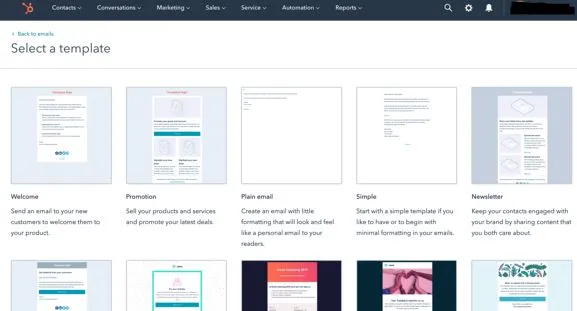
HubSpot Free Plan Overview
HubSpot's free CRM includes contact management for up to 1 million contacts, email tracking, basic pipeline management, meeting scheduling, and live chat. The interface is intuitive and designed for teams new to CRM systems.
Free Plan Limitations: You cannot access workflow automation beyond very basic features. Advanced reporting is unavailable. Integrations with third-party tools are limited. Custom fields and property limits exist. You get no dedicated support.
HubSpot Paid Plans and Pricing
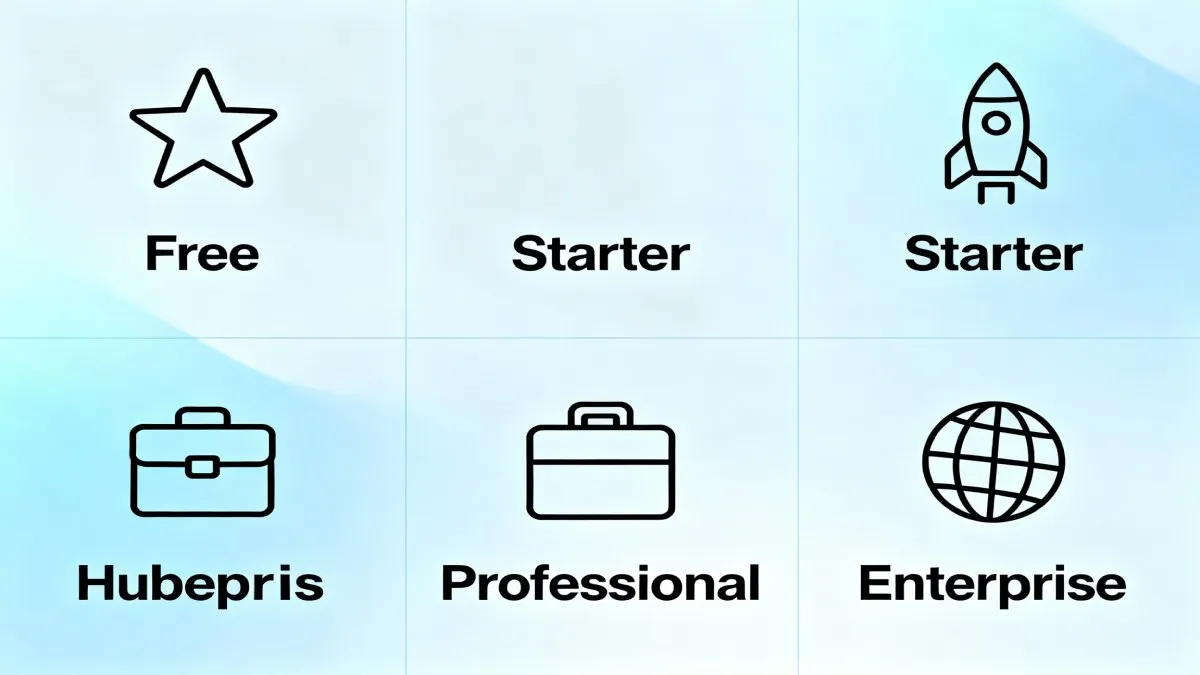
HubSpot offers three paid CRM tiers plus an Enterprise option. The Starter plan begins at 15 dollars per month per seat and includes basic automation, email templates, and simple reporting. The Professional plan costs 1,300 dollars monthly for five seats and adds advanced automation, custom reports, and integrations. The Enterprise plan at 4,700 dollars monthly provides the full feature set, including AI-powered insights and unlimited customization.
An important note: HubSpot also offers bundled CRM Suite pricing starting at 15 dollars per month for all Hubs with one user each, providing a cost-effective way to access multiple tools.
Why HubSpot is a Top Choice
HubSpot stands out because it makes the free to paid transition smooth. Users start with free tools and naturally upgrade as needs grow. The platform integrates marketing, sales, and service tools in one system. Customer support is responsive. The user interface is clean and user-friendly, even for CRM beginners.
However, HubSpot has a significant pricing jump between Starter and Professional plans. The per-user pricing can become expensive as your team grows. If you exceed the free plan contact limit, paid plans have much lower contact thresholds, forcing expensive upgrades.
Key Features Comparison: What You Really Need
Contact Management
Free CRM: Basic contact storage and organization, simple search functionality, limited custom fields, minimal segmentation capabilities.
Paid CRM: Advanced contact management with unlimited custom fields, sophisticated segmentation, hierarchical account structures, duplicate detection and merging, and contact scoring.
Verdict: If your contact management is simple and you have fewer than 5,000 contacts, free is adequate. For growing databases with complex hierarchies or specific data requirements, paid CRMs provide essential functionality.
Sales Pipeline and Deal Tracking
Free CRM: Basic pipeline visualization, standard deal stages, manual deal movement, limited pipeline customization.
Paid CRM: Multiple pipelines for different product lines or teams, custom deal stages, automated deal progression, probability scoring, and forecasting tools.
Verdict: For teams managing a simple sales process, free tools work. For complex sales cycles with multiple pipelines or team-specific processes, paid CRMs provide necessary capabilities.
Email Integration and Tracking
Free CRM: Basic email sync, limited email tracking, simple email templates, no sequences.
Paid CRM: Full email integration, detailed open and click tracking, personalized email sequences, A/B testing, and AI-suggested email content.
Verdict: If you send few emails, free email tracking works. For teams relying heavily on email for sales and marketing, paid automation features deliver significant time savings and better conversion rates.
Workflow Automation
Free CRM: One or two basic automation rules, limited triggers and actions, no approval workflows.
Paid CRM: Unlimited automation rules, complex branching logic, multiple triggers and actions, approval workflows, and conditional logic.
Verdict: This is where free CRMs struggle most. If your business requires automating follow-ups, lead assignment, or multi-step processes, paid CRM automation features will save your team hours weekly.
Reporting and Analytics
Free CRM: Standard pre-built reports only, limited customization, basic performance metrics, no forecasting.
Paid CRM: Custom report builder, advanced dashboards, real-time analytics, sales forecasting, predictive insights, and drill-down capabilities.
Verdict: Free reporting gives you basic visibility. Paid reporting enables strategic decision-making with predictive insights and performance optimization.
Third-Party Integrations
Free CRM: Limited integration options, basic API access may be restricted, no pre-built integrations with popular tools.
Paid CRM: Hundreds of pre-built integrations, open API for custom development, integration support and documentation.
Verdict: If you use multiple business tools, paid CRMs eliminate manual data entry and create a unified system. This is a major productivity boost.
Mobile CRM Capabilities
Free CRM: Basic mobile apps with limited functionality, possible browser access only.
Paid CRM: Full-featured mobile apps for iOS and Android, offline access, all desktop features available on mobile.
Verdict: For field sales teams or managers who manage the CRM from various locations, mobile capabilities are essential. Paid CRM mobile experience is significantly better.
Pricing Analysis: Is Paid CRM Worth the Investment?
Calculating True Cost of CRM Ownership
When evaluating whether to invest in a paid CRM, do not just compare the monthly subscription cost. Consider the complete cost picture.
Free CRM Total Cost: While the software is free, there are hidden costs. Your team spends more time on manual tasks, data entry, and workarounds. Time spent troubleshooting without support. Inefficiencies in lead follow-up result in lost sales. Lack of data security puts you at risk of data breaches. When you finally outgrow free tools, you face data migration costs and downtime.
Paid CRM Total Cost: Monthly subscription fees for all users. Optional onboarding and training costs. Possible API or integration costs. But offsetting these are significant benefits: your team spends less time on administrative work and more time selling. Automated workflows prevent lead leakage. Better analytics help you optimize campaigns. Increased conversion rates from improved processes.
ROI of Paid CRM Investment
Research shows compelling ROI from paid CRM adoption. Companies using CRM report:
– 25 percent average increase in marketing return on investment
– 30 percent revenue growth following CRM implementation
– 86 percent of companies achieve or exceed sales goals
– 25 percent increase in customer retention
– Up to 20 percent reduction in customer acquisition costs
– Sales cycles shortened by up to two weeks
– Individual sales rep productivity increases of 20 to 40 percent
For most businesses, the ROI from paid CRM easily justifies the monthly investment within three to six months.
Cost Structure of Popular Paid CRMs
| CRM Platform | Entry Price | Per-User Monthly Cost | Best For |
|---|---|---|---|
| HubSpot CRM | Free tier available | 15 dollars to 120 dollars per user per month | Growing startups and SMBs |
| Zoho CRM | Free tier available | 14 dollars to 55 dollars per user per month | Budget-conscious teams wanting customization |
| Salesforce Sales Cloud | 75 dollars per user per month | 75 dollars to 330 dollars per user per month | Large enterprises with complex needs |
| Freshsales | Free tier available | 19 dollars to 79 dollars per user per month | Small to mid-sized sales teams |
| Pipedrive | 14 dollars per user per month | 14 dollars to 99 dollars per user per month | Sales-focused teams |
When You Should Choose Free CRM
Free CRM solutions make sense in specific scenarios. Understanding when free is appropriate helps you avoid overspending or under-equipping your team.
Your Business Profile
Solo Entrepreneurs and Freelancers: If you are a solo founder without employees, a free CRM is usually perfect. You need basic contact management and simple tracking, not complex team features.
Startup Phase with Limited Budget: Early-stage startups with minimal revenue need to preserve cash. A free CRM lets you start organizing customer relationships immediately without financial burden.
Very Small Teams (1 to 3 People): When your team is tiny, you do not need advanced collaboration features. Free CRM user limits align with your current needs.
Simple Sales Process: If your sales cycle is straightforward with a single product and standard sales stages, free CRM features are sufficient.
Low Contact Volume: Businesses with fewer than 1,000 contacts do not face storage limitations with free plans.
Specific Use Cases
Testing CRM Adoption: If you are unsure whether your team will adopt CRM software, start free. Get your team comfortable with the concept before investing in paid solutions.
Basic Lead Tracking: Service-based businesses tracking leads through a simple qualification process can often use free CRMs effectively.
Contact Organization: If your primary need is storing and organizing customer information with basic searching, free CRM handles this well.
Proof of Concept: Test whether CRM improves your specific business metrics before committing to paid plans.
When You Should Upgrade to Paid CRM
Certain warning signs indicate it is time to move from free to paid CRM. Recognizing these signals prevents your team from losing productivity and revenue opportunities.
Team Growth Signals
Hitting User Seat Limits: When your team grows beyond the free plan user limit, you cannot add new members without upgrading. This is a clear signal that free no longer serves your needs.
Multiple Departments Need Access: Once sales, marketing, and customer service teams need CRM access, the collaboration features of paid CRMs become essential.
Need for Role-Based Permissions: Growing teams require different access levels. Salespeople see their own deals, managers see team deals, executives see company-wide metrics. Paid CRMs provide granular permission controls.
Business Scaling Indicators
Contact Database Approaching Limits: When you are near your contact storage limit, upgrading is imminent. You cannot grow beyond your CRM capacity.
Increasing Lead Volume: As leads grow faster, free CRM features become bottlenecks. You need automation to handle volume efficiently.
Sales Cycle Becoming Complex: When you develop multiple product lines, serve different customer segments, or have complex approval processes, free CRM cannot handle this complexity.
Team Reporting Requirements Increasing: As stakeholders want more insights, free reporting quickly becomes inadequate. Paid CRMs provide the dashboards and custom reports needed.
Process and Efficiency Issues
Manual Data Entry and Duplicate Effort: If your team spends excessive time on data entry or repeatedly contacts the same lead, automation is needed. This is a paid CRM strength.
Missed Follow-Ups and Lost Leads: When follow-ups fall through the cracks or leads go cold due to disorganization, paid CRM workflows prevent this.
Lack of Visibility into Sales Pipeline: Managers cannot forecast accurately because pipeline visibility is unclear. Paid CRM dashboards provide transparency.
Integration Limitations Creating Data Silos: When you cannot connect your CRM with email, accounting, or marketing tools, you lose efficiency. Paid CRM integration options solve this.
Revenue and Competitive Signals
Revenue Exceeding 50,000 Dollars Monthly: Once you reach this revenue threshold, a CRM investment (typically 50 to 500 dollars monthly) becomes negligible compared to revenue. The productivity gains deliver clear ROI.
Competitors Using Advanced CRM Features: If competitors are faster to respond, better organized, or have superior customer experiences, they are likely using paid CRM features you lack.
Customer Experience Suffering: If customers complain about lack of coordination between team members or slow response times, CRM optimization is needed.
Pros and Cons Summary Table
| Aspect | Free CRM Pros | Free CRM Cons | Paid CRM Pros | Paid CRM Cons |
|---|---|---|---|---|
| Cost | Zero initial investment | May have hidden costs and limitations | Creates business expense | Ongoing monthly fees |
| Implementation | Quick setup and deployment | Limited support during setup | Takes longer to implement | Requires team training time |
| Scalability | Works for initial start | Hits limits quickly as you grow | Grows with your business | More complex as you scale |
| Features | Includes core essentials | Lacks advanced functionality | Comprehensive feature set | Potential feature bloat |
| Support | Community-based help available | No dedicated support team | Professional support included | Costs vary by support level |
| Integration | Limited third-party connections | Creates data silos | Extensive integration options | Complex integrations may cost more |
| Security | Basic encryption available | May lack compliance standards | Enterprise-grade security | Responsibility is shared with provider |
| Analytics | Basic reporting only | Limited insights for decision-making | Advanced analytics and forecasting | Complexity may require training |
Free CRM Alternatives Worth Considering
Several free CRM platforms offer robust features for different business needs. Understanding your options helps you select the best fit.
Zoho CRM Free Plan
Zoho CRM offers one of the most feature-rich free plans available. The free tier includes up to 3 users, 5,000 records, lead and contact management, email integration, basic workflow automation, and mobile access. Zoho provides an extensive ecosystem of free applications that integrate with the CRM, including email marketing, invoicing, and project management.
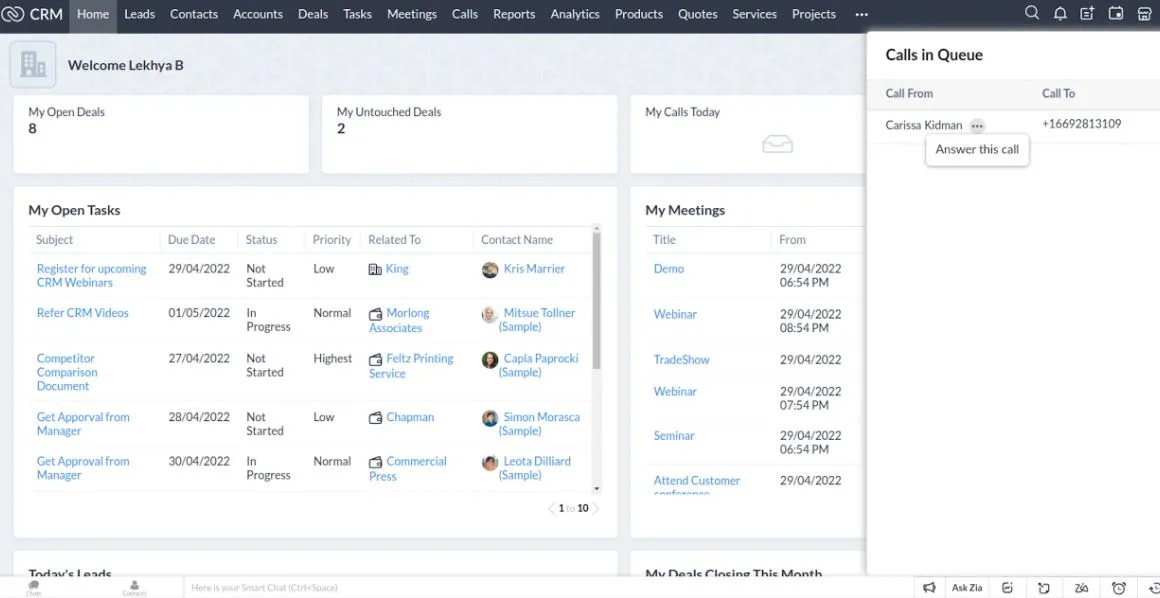
The paid plans start at 14 dollars per user monthly, making Zoho an excellent choice for budget-conscious teams wanting customization. Zoho CRM includes AI-powered insights through Zia, its artificial intelligence assistant, even on free plans.
Freshsales Free Plan
Freshsales offers unlimited users on its free plan but limits features to basics. The free version includes contact management, sales pipeline, email tracking, and task management. No advanced automation or custom reporting.
Freshsales paid plans begin at 19 dollars per user monthly and add AI-powered lead scoring, workflow automation, and detailed reporting. Freshsales is particularly strong for sales teams needing communication integration.
Bitrix24 Free Option
Bitrix24 combines CRM with team collaboration tools. The free plan includes unlimited users, contact management, task management, and basic sales pipeline tracking. Bitrix24 is ideal for teams wanting CRM plus project management in one platform.
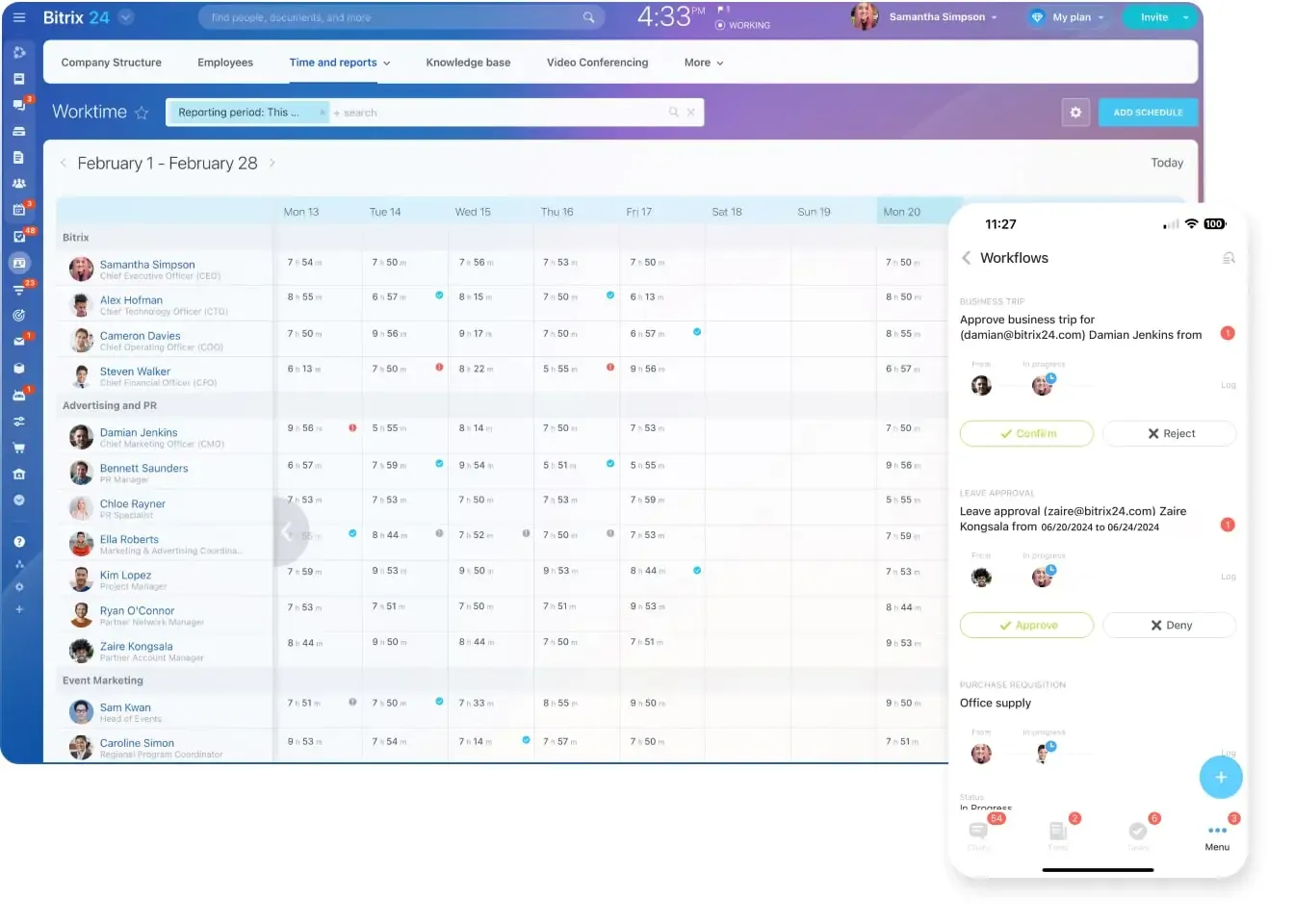
However, the free plan has significant limitations on advanced features, integrations, and storage. Paid plans start at 49 dollars monthly and provide full functionality.
ClickUp CRM
ClickUp offers CRM functionality as part of its broader project management platform. The free plan includes unlimited projects and users, making it attractive for growing teams. Combined with task management and collaboration features, it is good for teams wanting an all-in-one platform.
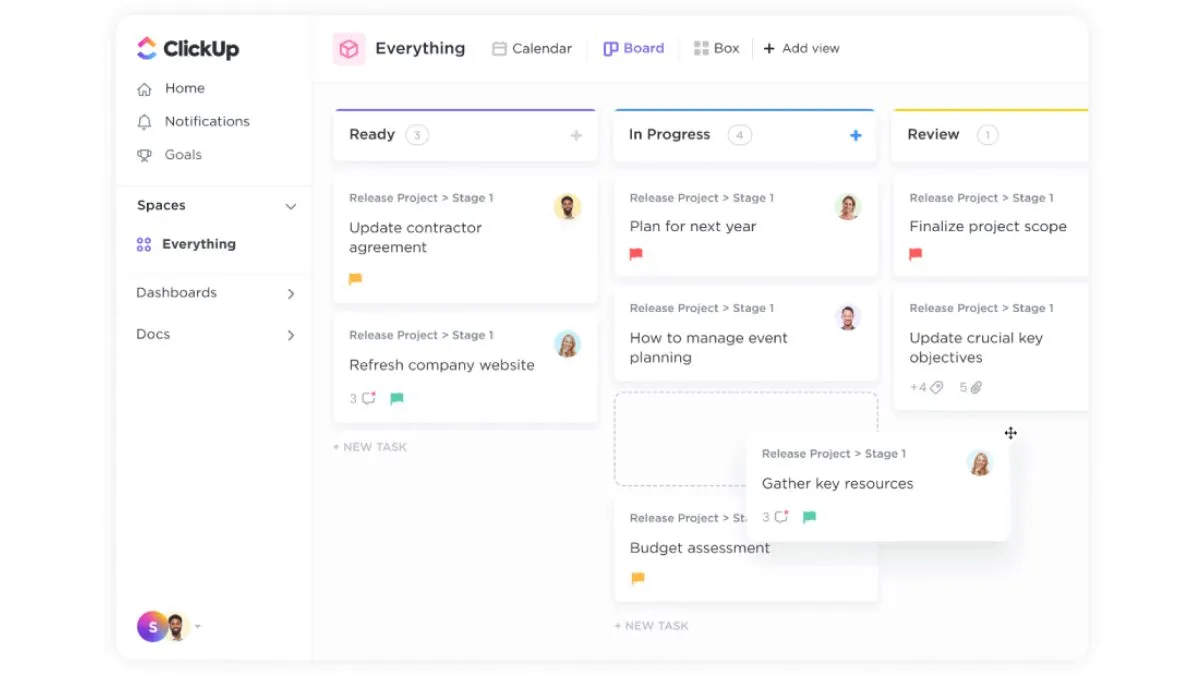
The CRM features in free ClickUp are more limited than dedicated CRM platforms. Paid plans start at 7 dollars per user monthly.
Vtiger Free Plan
Vtiger is free for up to 10 users with 3,000 contacts and includes contact management, sales pipeline, email integration, and basic automation. Vtiger offers a good feature set for free but has a steeper learning curve than some alternatives.
Paid plans provide additional users, contacts, and advanced features. Vtiger is particularly good for businesses wanting open-source flexibility.
Making the Decision: Free vs Paid CRM Decision Framework
Assessment Questions
Answer these questions to determine whether free or paid CRM is right for your business:
Team Size and Growth Trajectory: How many team members currently need CRM access? Will your team expand in the next 12 months? If you expect rapid growth, paid CRM is a better long-term choice.
Current Contact Database: How many customer and prospect contacts do you currently manage? If you are approaching free plan limits, an upgrade is necessary.
Sales Cycle Complexity: Is your sales process straightforward or complex? Complex sales with multiple stakeholders, approvals, or stages need paid CRM automation.
Revenue Impact: How much revenue would your business generate if your sales team was 10 percent more efficient? If this number is larger than annual paid CRM costs, paid CRM delivers positive ROI.
Integration Needs: How many other business tools do you use? If your marketing, accounting, and communication tools need CRM integration, paid CRM is essential.
Support Requirements: If something breaks or your team gets stuck, do you have internal IT resources? Without internal support, dedicated vendor support becomes valuable.
Data and Compliance: Do you handle sensitive customer information? Are you in a regulated industry? Enterprise security features of paid CRMs become necessary.
A Step-by-Step Decision Process
Step 1 – Assess Current State: Document your current team size, number of contacts, sales process, and technology stack. This is your baseline.
Step 2 – Define Requirements: List must-have features for your business. Which features are nice-to-have? Which are non-negotiable?
Step 3 – Test Free Options: Sign up for free trials of 2 to 3 CRM platforms that match your requirements. Spend 2 to 4 weeks using them with your team.
Step 4 – Evaluate the Test: Did your team adopt the CRM? Did it solve the problems you wanted to solve? What features did you miss?
Step 5 – Calculate Financial Impact: Estimate time saved and revenue impact from improved processes. Compare this to paid CRM costs.
Step 6 – Make Decision: Based on the above analysis, choose the platform and pricing tier that delivers the best value for your business.
Pro Tips for Maximizing CRM Value
Starting with Free CRM Successfully
Define Clear Goals: Before implementing any CRM, define what success looks like. Do you want better lead tracking? Faster follow-ups? Improved forecasting? Clear goals drive adoption and help you evaluate whether the platform works.
Start Simple: Do not try to implement every possible feature at once. Begin with basic contact management and pipeline tracking. Add complexity gradually as your team gets comfortable.
Establish Data Standards: Before importing contacts, establish how data should be formatted and what information is required. Clean data is critical for CRM success, regardless of whether you use free or paid platforms.
Get Team Buy-In: The best CRM fails if your team does not use it. Explain why you are implementing the CRM. Get input on features your team needs. Make adoption a team effort.
Commit to the Trial Period: Give yourself at least 2 to 4 weeks with any CRM before deciding it is not right. Real adoption takes time. Do not abandon the platform too quickly.
Transitioning from Free to Paid CRM
Plan the Migration: Do not wait until free plan limits force you to migrate. Plan the transition in advance. Map your current workflows to the new platform. Identify data that needs to be migrated.
Clean Your Data Before Migration: Remove duplicate contacts, correct errors, and standardize formats before migrating to paid CRM. Starting with clean data sets you up for success.
Invest in Training: When upgrading, invest time in training your team on new features and best practices. A few hours of training prevents weeks of inefficient usage.
Implement Gradually: Do not activate all paid CRM features at once. Roll out features in phases. Get your team comfortable with advanced automation before implementing complex workflows.
Track Adoption Metrics: Monitor how many users actively use the CRM, which features are used most, and where adoption is weak. Use this data to optimize your implementation.
Alternative Solutions and Tools to Consider
Enhancing Your CRM Strategy with Complementary Tools
Whether you choose free or paid CRM, consider how specialized tools can enhance your overall strategy. Semrush is an excellent resource for understanding the search keywords and customer pain points related to your business. Using Semrush, you can identify what potential customers are searching for and craft your CRM strategy accordingly. By analyzing search trends, you understand which features matter most to your target customers and how to position your business in the market.
Integrating market research insights from tools like Semrush with your CRM data creates a powerful competitive advantage. You understand not just who your customers are, but what problems they are trying to solve and how they are finding you.
When Professional Services Add Value
If you find that implementing CRM is complex for your team, professional services can accelerate your success. Outsourcing CRM setup, configuration, and optimization to specialists through platforms like Fiverr can be cost-effective. Freelance CRM consultants can help you design workflows, import and clean data, customize your CRM for your specific business process, and train your team on best practices. This approach is particularly valuable when transitioning from free to paid CRM or when you lack internal technical expertise. A specialist can often set up your system in a way that prevents costly mistakes and ensures rapid team adoption. Even a small investment in professional setup often delivers returns many times over through faster implementation and better utilization of your CRM platform.
Get Expert CRM Setup Help on Fiverr – Connect with experienced CRM specialists who can optimize your system configuration and ensure successful implementation.
Frequently Asked Questions about Free vs Paid CRM
Is HubSpot CRM free enough for small businesses?
For very small teams with simple sales processes and fewer than 1,000 contacts, HubSpot free CRM is often sufficient. However, once your team grows beyond 5 users, you need contacts or deals beyond free limits, or you require automation features, upgrading becomes necessary. The transition from free to HubSpot paid plans has a significant pricing jump, so factor this into your planning.
What is the best free CRM for sales teams?
The best free CRM depends on your specific needs. For overall feature richness, Zoho CRM free plan is excellent. For simplicity and ease of use, HubSpot is unmatched. For teams wanting collaboration plus CRM, Bitrix24 combines both. Test each platform with your sales team to see which workflow feels most natural.
How much do I save by using a free CRM?
Free CRMs save you subscription costs, but they often cost you in other ways. Your team spends more time on manual work, you miss automation benefits, you lose integration efficiency, and you face security risks. The real savings come from paid CRMs through time savings, better decision-making, and increased revenue. Many businesses find that one additional deal closed per month pays for a year of paid CRM subscription.
Can I switch from free to paid CRM without losing data?
Yes, most CRM platforms allow you to export your data from free plans and import it into paid plans. The process is usually straightforward, but plan ahead. Clean your data before migration, map custom fields to ensure proper transfer, and test the import with a small data subset before migrating everything. Most CRM providers offer migration guides and support for the transition.
What is the average cost of a paid CRM?
Paid CRM costs range significantly based on the platform and your needs. Basic plans start at 14 dollars to 20 dollars per user monthly for growing businesses. Mid-market plans run 50 dollars to 150 dollars per user monthly. Enterprise solutions can exceed 300 dollars per user monthly. Most small businesses spend between 50 dollars and 300 dollars monthly total on CRM, which typically delivers ROI within three to six months.
Which CRM has the best free plan in 2026?
In 2026, the best free CRM plans are Zoho CRM (most features for the money), HubSpot CRM (best ease of use and intuitive interface), and Freshsales (good balance of features and simplicity). Your best choice depends on whether you prioritize feature richness, ease of use, or specific functionality like sales pipeline tracking or marketing integration.
How long should I use free CRM before upgrading?
Use free CRM for at least 2 to 4 weeks before making an upgrade decision. This gives your team time to evaluate whether CRM adoption works for your business. If you are hitting contact limits, user limits, or clearly need features only available in paid plans, upgrade immediately. Waiting too long on a free plan while your business is hindered by limitations is false economy.
Can free CRM and paid CRM work together?
Technically, you could use both, but this creates data silos and confusion. Most businesses pick one platform and use it consistently. If you need specific functionality from multiple platforms, look for CRM integration options rather than running multiple systems.
What is CRM adoption and why does it matter?
CRM adoption refers to how actively your team uses the CRM system. If you implement CRM but your team continues using email and spreadsheets, adoption is low. CRM adoption matters because the benefits only materialize when your team actually uses the system consistently. Adoption rates of 70 percent or higher are considered successful. Lower adoption rates indicate either the wrong platform choice or inadequate training and support.
How do I ensure my team actually uses the CRM?
Team adoption requires several things. First, involve your team in the CRM selection process so they feel ownership. Second, provide comprehensive training focused on how the CRM makes their job easier. Third, set clear expectations about CRM usage with specific metrics (lead entry timeframes, pipeline updates, etc.). Fourth, provide ongoing support and address issues quickly. Finally, recognize and reward teams that use CRM effectively. Culture and processes matter as much as technology.
What happens to my data if a free CRM shuts down?
This is a valid concern with free services. Quality CRM platforms like HubSpot, Zoho, and Freshsales are stable companies unlikely to shut down. However, smaller or newer free CRM platforms carry more risk. Protect yourself by regularly exporting your data, understanding what happens to your data if the service closes (usually they give advance notice and allow exports), and using platforms with good security track records. Paid CRM services are generally safer because they have business models aligned with long-term survival.
Conclusion: Making Your Final Decision
The free versus paid CRM decision is not one-size-fits-all. The right choice depends on your specific business situation, team size, growth stage, and the complexity of your sales processes.
Choose free CRM if: You are a solo entrepreneur or very small team, your sales process is straightforward, you have minimal contacts and team members, you are testing CRM adoption, and you have a strict budget with no flexibility for software expenses. Free CRM is an excellent starting point and removes barriers to getting organized.
Choose paid CRM if: Your team exceeds 3 people or will soon, you manage complex sales processes with multiple pipelines, you have more than 5,000 contacts, you need advanced automation and reporting, you integrate multiple business tools, and you want professional support. Paid CRM delivers measurable ROI that quickly justifies the investment.
The Hybrid Approach: Many successful businesses start with free CRM, learn what works for them, and upgrade to paid CRM when limitations become apparent. This approach minimizes risk while allowing you to grow at your own pace.
Whatever you choose, the key is implementation and consistent use. A moderately good CRM that your team actively uses outperforms a premium CRM gathering dust because adoption is weak. Focus on the platform features that matter most for your business, get your team trained and committed to using it, and track the metrics that show ROI. The right CRM, whether free or paid, should be the foundation of your customer relationships and sales growth strategy.
Start your CRM journey today. Test free options if you are uncertain. Invest in paid solutions when your business demands it. Either way, the organized customer data and streamlined processes that CRM provides will give you a competitive advantage and drive revenue growth that far exceeds the investment.
Explore HubSpot CRM Now – Start free or discover why thousands of growing businesses upgrade to HubSpot paid plans.
Try Zoho CRM Free Today – Experience one of the most feature-rich free CRM platforms available with no credit card required.

Julie Jung
Julie is a Senior Research Analyst at Shrtu concentrating on sales and marketing software. Prior to joining Shrtu, she worked at a Big 4 accounting firm and at a BI software company where her roles focused on supporting growth and B2B marketing and sales efforts. These experiences have cultivated her passion for learning how technology impacts businesses, and how it delivers results. She earned her Bachelor of Science in Marketing from the University of South Florida.