Finding the best CRM for Australian small business can feel overwhelming with so many options available. Whether you are running a startup, managing a growing team, or scaling your sales operations, the right Customer Relationship Management system can transform how you interact with customers and manage your business.
I have worked with dozens of small businesses across Australia, and I can tell you that choosing the wrong CRM costs money, time, and frustration. On the flip side, the right CRM becomes your competitive advantage. In this guide, I will walk you through everything you need to know to make an informed decision.
What is a CRM and Why Your Australian Small Business Needs One
A CRM is a software platform that helps you organize customer information, track sales interactions, and automate repetitive tasks. Think of it as a central hub where all your customer data lives.
For small businesses in Australia, a CRM does more than just store contact details. It helps you:
- Track customer interactions across email, calls, and meetings
- Automate follow-ups so no lead falls through the cracks
- Improve team collaboration and visibility
- Make faster, data-driven business decisions
- Scale your sales process without hiring more staff
Without a CRM, you are likely managing customer data in spreadsheets or multiple tools, which wastes time and creates inconsistencies. A good CRM solves this problem and often pays for itself within months.
Best 5 CRM for Australian Small Business: Top Choices Compared
1. HubSpot CRM – Best Overall for Small Businesses
HubSpot remains my top recommendation for Australian small businesses starting. Why? It offers a powerful free plan that covers most basics, and it scales beautifully as you grow.
Key Features:
- Contact management and activity tracking
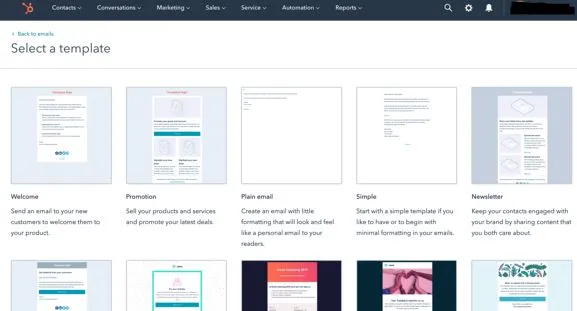
- Email templates and scheduling
- Meeting booking links integrated directly into your CRM
- Visual sales pipeline management
- Basic automation for follow-ups
- Live chat and form capture tools
Pricing (AUD):
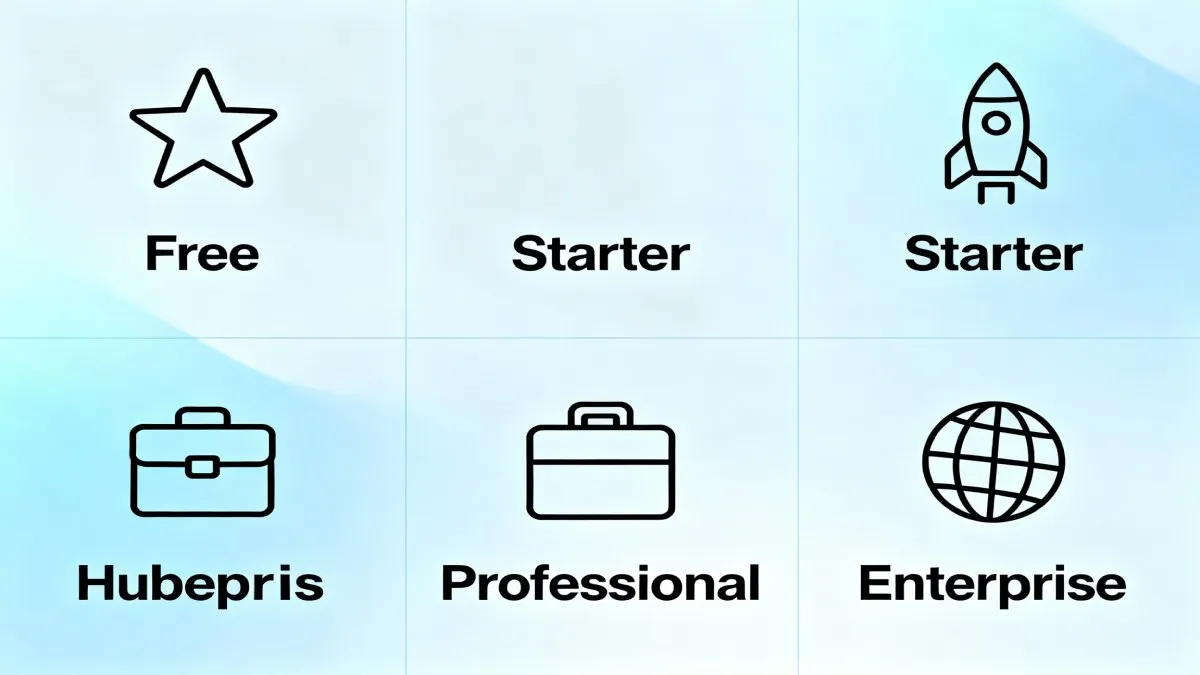
- Free Plan: A$0 per month (unlimited contacts, up to 2 users)
- Starter: A$14 per seat per month (billed annually)
- Professional: A$1,874 for 5 seats per month (billed annually)
Why I Like It: The free plan is genuinely valuable. Most small businesses can run their entire operation on the free version for the first 1-2 years. The interface is intuitive, and new team members learn it quickly. HubSpot also integrates seamlessly with hundreds of other business tools.
Best For: Startups, bootstrapped businesses, and small teams who want to test a CRM without financial risk.
Want to explore HubSpot for your business?
2. Zoho CRM – Best Value for Money
Zoho CRM is the smart choice if you want powerful features at a fraction of the cost. I often recommend Zoho to budget-conscious Australian businesses that need customization options.
Key Features:
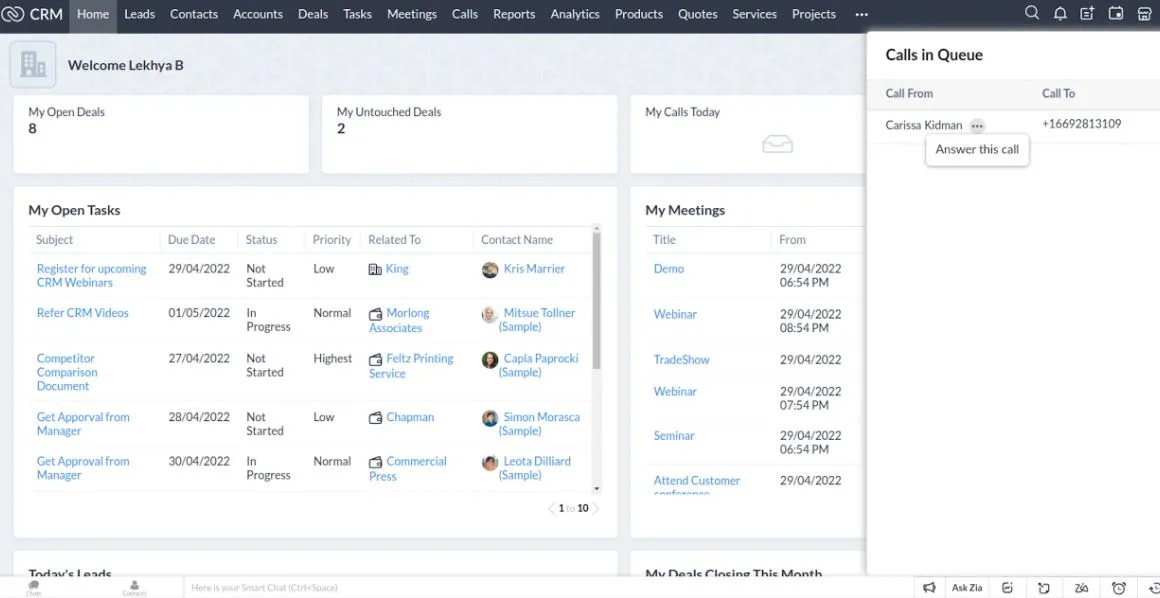
- Workflow and automation builder (very advanced)
- Lead and territory management
- Built-in email marketing
- Social media CRM tools
- AI-assisted sales insights
- Inventory management for retail businesses
Pricing (AUD):
- Free Plan: Available with basic features
- Standard: From A$25 per user per month
- Professional: From A$50 per user per month
- Enterprise: Custom pricing
Why I Like It: You get enterprise-level features at a small business price. Zoho does not compromise on customization, which means you can build a CRM that matches your exact workflow. The automation capabilities rival tools costing three times as much.
Best For: Businesses needing deep customization, retail operations, and teams focused on cost efficiency.
Get started with Zoho CRM today
3. Salesforce CRM – Best for Growing Enterprises
If your business is scaling rapidly and you need an enterprise-grade system, Salesforce is the gold standard. However, I typically recommend Salesforce for businesses with more than 20 employees.
Key Features:
- Extensive customization and workflow automation
- Advanced reporting and forecasting
- Sales force automation
- Marketing automation capabilities
- Deep integration with third-party applications
Pricing (AUD):
- Essentials: A$35 per month
- Professional: A$105 per month
- Enterprise: A$210 per month
- Unlimited: A$420 per month
Why I Like It: Salesforce is the most flexible CRM on the market. You can build almost anything with its platform. The ecosystem of add-ons and integrations is unmatched.
Best For: Larger teams, enterprises, and businesses needing custom integrations.
4. Monday CRM – Best for Teams That Love Simplicity
Monday CRM combines project management with CRM functionality. It is perfect if your team wants one tool for both sales tracking and project coordination.
Key Features:
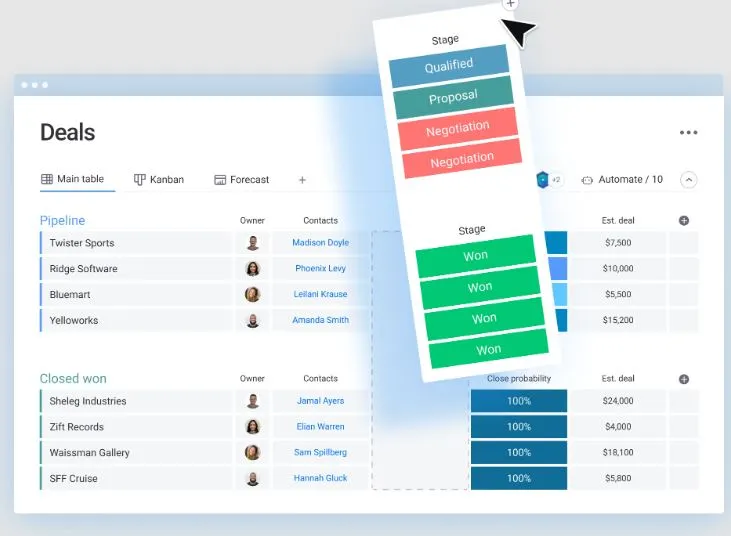
- Visual sales pipeline builder
- Project management capabilities
- Customizable automation workflows
- 500+ integrations available
- AI-powered features for sales forecasting
Pricing (AUD):
- Free Plan: Basic features for small teams
- Starter: From A$10 per user per month
- Pro: From A$20 per user per month
Why I Like It: Monday CRM is visually beautiful and incredibly easy to use. If your team struggles with learning new software, Monday makes the transition smooth. The built-in project management is a huge bonus.
Best For: Creative teams, agencies, and businesses that need both CRM and project management.
Experience Monday CRM for yourself
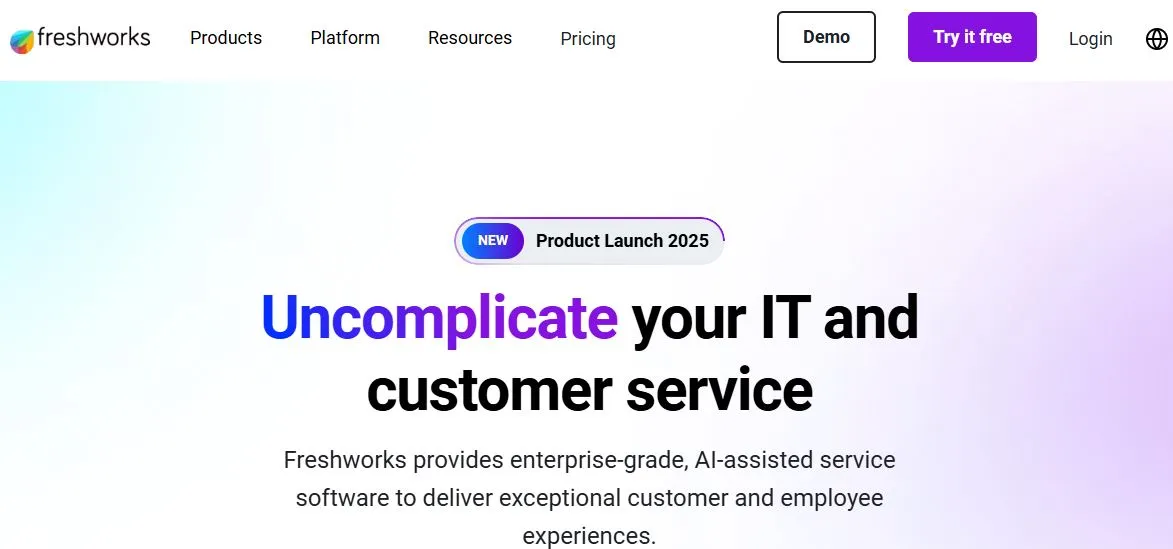
5. Freshsales – Best for Sales-Focused Teams
Freshsales is a purpose-built sales CRM. I recommend it to businesses that want all the sales features without extra clutter.
Key Features:
- AI-assisted lead scoring and insights
- Powerful sales pipeline management
- Email tracking and scheduling
- Phone integration built-in
- Advanced reporting and analytics
Pricing (AUD):
- Growth: A$9 per user per month (billed annually)
- Pro: A$39 per user per month (billed annually)
- 21-day free trial available
Why I Like It: Freshsales feels built by sales people for sales people. The interface prioritizes what matters most to your sales team. Phone integration is seamless.
Best For: Sales-focused businesses and teams prioritizing revenue generation.
CRM Comparison Table: Australian Small Business Edition
| CRM Platform | Free Plan | Starting Price (AUD) | Best For | Ease of Use | Customization |
|---|---|---|---|---|---|
| HubSpot | Yes (Strong) | A$14/seat/month | Startups, growing businesses | Very Easy | Moderate |
| Zoho CRM | Yes | A$25/user/month | Budget-conscious teams | Easy | Very High |
| Salesforce | 14-day trial | A$35/month | Large enterprises | Moderate | Very High |
| Monday CRM | Yes | A$10/user/month | Creative teams | Very Easy | High |
| Freshsales | 21-day trial | A$9/user/month | Sales teams | Easy | Moderate |
HubSpot vs Competitors: Why HubSpot Stands Out
Many Australian businesses ask me how HubSpot compares to alternatives. Let me give you my honest assessment.
HubSpot vs Zoho: Both are excellent. Zoho wins on customization and cost, especially if you have specific workflows. HubSpot wins on ease of use and free plan value.
HubSpot vs Salesforce: Salesforce is more powerful but needs more expertise to set up. HubSpot is simpler and faster to implement. Choose Salesforce only if you need enterprise features.
HubSpot vs Monday CRM: Monday is better if you need project management. HubSpot is better if you want a dedicated CRM with better integrations.
My recommendation: Start with HubSpot if you are uncertain. The free plan lets you test it risk-free, and you can migrate to another platform later if needed.
What to Look for When Choosing a CRM for Your Australian Small Business
1. Ease of Implementation
How quickly can your team start using the system? A CRM gathering dust because it is too complicated helps no one. Look for intuitive interfaces and good onboarding support.
2. Integration Capabilities
Your CRM needs to work with your existing tools (email, accounting software, marketing platforms). Verify integration options before committing.
3. Scalability
Choose a CRM that grows with you. You should not outgrow your system in 18 months.
4. Customer Support Quality
When problems arise (and they do), you need responsive support. Check if the provider offers phone support, live chat, and Australian-based assistance.
5. Mobile Accessibility
Your team needs to access CRM data on the go. Ensure the mobile app is feature-rich, not just a stripped-down version.
6. Automation Capabilities
A good CRM automates repetitive tasks. This automation saves hours every week across your team.
How to Use SEMrush to Choose the Best CRM for Your Business
Here is a insider tip I use: leverage SEMrush to research what your competitors use. This helps you understand what tools successful businesses in your industry rely on.
Log into SEMrush, navigate to the Tech Stack feature, and search for your competitors' websites. You will see what technology they use, including their CRM system. This competitive intelligence helps inform your decision.
Use SEMrush for competitive CRM research
Industries Best Served by Different CRMs
Real Estate
Real estate agents and property management firms need property tracking, pipeline visualization, and lead nurturing. HubSpot, Salesforce, and Zoho all work well. However, Salesforce specializes in real estate with add-ons.
Professional Services
Law firms, consulting agencies, and design studios benefit from project management features. Monday CRM or HubSpot with integrations work best.
E-Commerce
Online retailers need inventory tracking, customer segmentation, and marketing automation. Zoho CRM excels here with built-in inventory management.
Retail Brick and Mortar
Retail shops need customer loyalty features and POS integration. Zoho CRM with retail add-ons is excellent for this use case.
Common CRM Implementation Mistakes (And How to Avoid Them)
Mistake 1: Choosing Based on Price Alone
The cheapest CRM is not always the best value. A tool costing 50% more that your team actually uses generates better ROI than a cheap tool gathering dust.
Mistake 2: Implementing Without a Clear Process
Before launching your CRM, define how your team will use it. What data goes in? How often do people update it? Who owns which records? This clarity prevents chaos.
Mistake 3: Poor Data Migration
Moving from spreadsheets or an old system to your new CRM requires careful data cleaning. Bad data in equals bad insights out. Invest time in data quality.
Mistake 4: Minimal Training
Do not just roll out the CRM and hope your team figures it out. Invest in proper training and ongoing support. This pays dividends through adoption.
Mistake 5: Ignoring Mobile Users
If your team works in the field or travels frequently, mobile access is non-negotiable. Test the mobile app before committing.
Tips for Maximizing Your CRM Investment
Tip 1: Start Simple, Optimize Later
Do not try to use every feature immediately. Start with core functionality, then gradually add features as your team needs them.
Tip 2: Automate Everything You Can
Automation is where CRMs deliver the biggest ROI. Automated follow-ups, task assignments, and data entry save hours weekly.
Tip 3: Monitor Key Metrics
Track metrics like pipeline value, conversion rates, and sales cycle length. Use this data to continuously improve your sales process.
Tip 4: Get Your Team Accountable
Set expectations that everyone updates the CRM daily. When people know the data is reviewed, they maintain accuracy.
Tip 3: Review and Adjust Regularly
Schedule monthly or quarterly reviews of your CRM setup. Ask your team what is working and what is not, then adjust accordingly.
Hiring Help for CRM Setup and Optimization
Setting up a CRM properly takes expertise. If your team lacks CRM experience or you need help with complex customization, consider hiring a freelance CRM consultant.
Freelance specialists can help with:
- CRM selection and evaluation
- Implementation and data migration
- Workflow automation setup
- Team training and onboarding
- Custom integrations and configurations
Need expert CRM help? Hire a specialist today
Frequently Asked Questions About CRM for Australian Small Business
Q: Is a free CRM good enough for a small business?
Answer: Absolutely, for the first 1-2 years. HubSpot's free plan covers core CRM functionality for most small businesses. As you grow and need advanced features, move to a paid plan.
Q: Can I switch CRMs after implementation?
Answer: Yes, but it requires data migration planning. Most CRM platforms support exporting data. The transition is easier if you plan it properly from the start.
Q: How long does CRM implementation take?
Answer: For a small business with basic needs, 2-4 weeks. For more complex implementations, 2-3 months. The timeline depends on your existing processes and integration complexity.
Q: What CRM integrates best with Australian accounting software like Xero?
Answer: HubSpot, Zoho, and Freshsales all integrate with Xero. However, Zoho integrates with its own accounting software, creating a seamless ecosystem.
Q: Do Australian businesses need a CRM with local data centers?
Answer: It is not required but recommended for data privacy compliance. HubSpot and Salesforce have Australian data center options. Verify with your chosen provider.
Q: What is the average cost of a CRM for a 10-person team?
Answer: Budget A$150-400 per month using HubSpot or Zoho. Salesforce costs more. The exact cost depends on features and user count.
Q: Can a CRM replace a sales manager?
Answer: No. A CRM is a tool that makes good sales management better. It automates processes and provides visibility, but human leadership remains essential.
Q: How do I ensure my team uses the CRM consistently?
Answer: Set clear expectations, provide regular training, make it easy to use, and create accountability. Review CRM hygiene metrics monthly.
Q: What CRM features matter most for customer retention?
Answer: Customer history tracking, automated reminders, segmentation, and service ticket management. These features help you maintain strong customer relationships.
Q: Which CRM offers the best automation capabilities?
Answer: Zoho CRM has the most advanced automation builder. HubSpot offers solid automation without complexity. Choose based on your specific automation needs.
The Best CRM for Your Australian Small Business Depends on Your Needs
After reviewing all these options, here is my final recommendation:
For most Australian small businesses starting: Choose HubSpot. The free plan is genuinely powerful. The user interface is intuitive. The integration ecosystem is massive. You can test it risk-free for months before deciding whether to upgrade.
For budget-conscious businesses needing customization: Choose Zoho CRM. You get enterprise features at small business prices. The platform scales with you.
For creative teams needing project management: Choose Monday CRM. The combination of sales tracking and project management in one tool saves time and reduces tool switching.
For sales-focused businesses: Choose Freshsales. Every feature serves your sales process. No unnecessary extras.
The wrong CRM choice costs thousands in wasted time and missed opportunities. The right choice accelerates growth and strengthens customer relationships. Take time with your decision, test free trials thoroughly, and do not rush.
Ready to transform your customer relationships?
Conclusion
Choosing the best CRM for Australian small business is one of the most important technology decisions you will make. The right system brings order to your customer relationships, enables data-driven decisions, and frees your team to focus on growth.
Start with the free trial of your top choice. Involve your team in the evaluation. Ask yourself which CRM solves your biggest pain point today. Do not get caught up trying to find the perfect system that checks every box. The best CRM is the one your team will actually use.
I recommend HubSpot for most small businesses because it removes friction, it actually works, and the free plan gives you real value. But ultimately, your decision should be based on your unique business needs, team size, and growth trajectory.
What matters most is taking action. More small businesses fail due to poor customer management than lack of good CRM software. Choose one, implement it well, and watch your business transform.
Read More: How to Automate Sales Process with HubSpot CRM: Complete Guide

Julie Jung
Julie is a Senior Research Analyst at Shrtu concentrating on sales and marketing software. Prior to joining Shrtu, she worked at a Big 4 accounting firm and at a BI software company where her roles focused on supporting growth and B2B marketing and sales efforts. These experiences have cultivated her passion for learning how technology impacts businesses, and how it delivers results. She earned her Bachelor of Science in Marketing from the University of South Florida.